POPULAR COURSES
Master Programs


Table of contents:
|
1. The Top 5 AWS Certifications for Beginners Compared
|
|
2. Detailed Breakdown: Which One Matches Your Background?
|
|
3. The Recommended AWS Certification Path for Freshers & Switchers
|
| 4. Why Choose Apponix Technologies for Your AWS Certification Training? |
| 5. The Ultimate Student Preparation Checklist |
| 6. Conclusion |
Starting a journey into cloud computing can feel confusing with so many exams available, leaving many students wondering which aws certification is best for beginners. Learning with a trusted Training Institute in Bangalore gives aspiring cloud professionals and freshers the hands-on lab practice and mentorship needed to succeed.
Enrolling in a comprehensive AWS course in Bangalore helps bridge the gap between basic computer concepts and real-world cloud skills, making sure you do not waste time or money on the wrong certification.
Amazon Web Services (AWS) powers a huge portion of the internet. Because of this, companies actively look for certified talent who understand how to store data, run applications, and secure systems in the cloud.
However, choosing your first exam depends on three simple factors:
-
Your Technical Background: Do you write code, manage systems, or come from a non-technical field?
-
Your Immediate Career Goal: Are you looking to pass a technical interview, or do you need a high-level understanding of cloud concepts for project management?
-
Practical Lab Experience: Can you build simple virtual networks and storage buckets, or are you starting completely from scratch?
Selecting the right first exam builds your confidence and gives you a clear path toward job-ready skills. Let us look at the top 5 AWS certifications designed for beginners and compare them side by side.
The Top 5 AWS Certifications for Beginners Compared
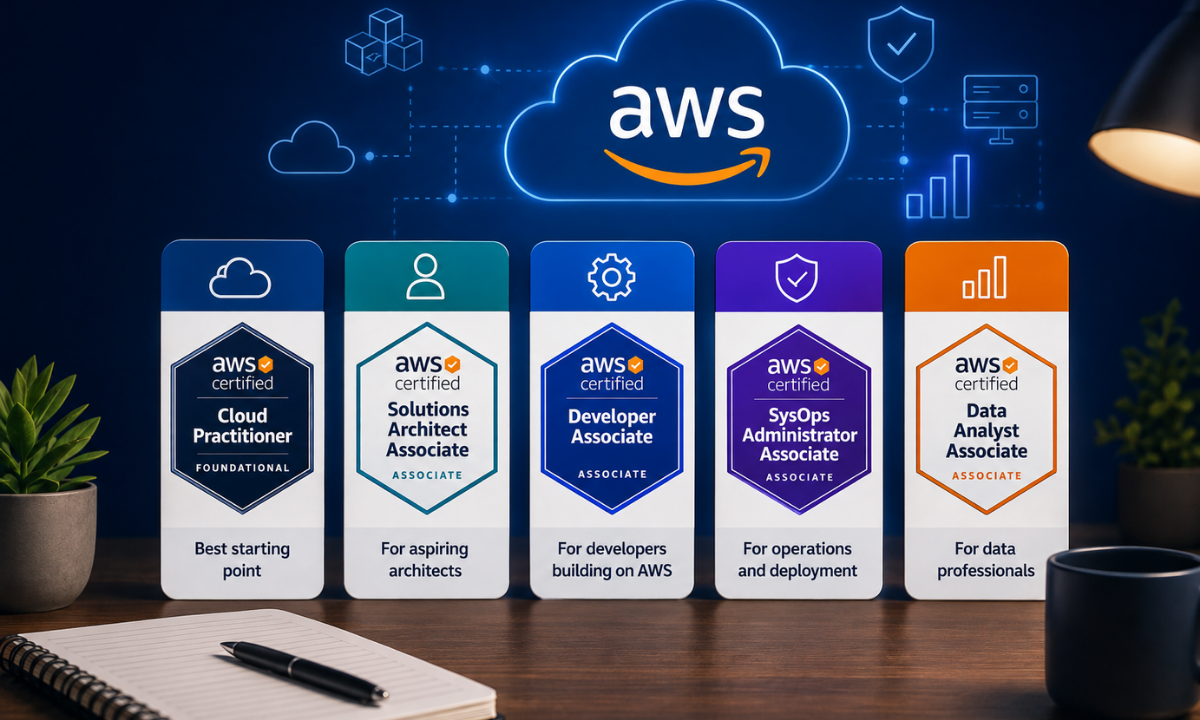
Not all beginner-friendly AWS certifications serve the same purpose.
Foundational certifications focus on high-level cloud concepts and business terminology, while Associate-level certifications test your ability to design networks, write cloud code, and troubleshoot live infrastructure.
Beginner AWS Certification Comparison Matrix
|
Certification & Exam Code |
Level |
Exam Format & Duration |
Official Fee |
Ideal Target Candidate
|
|---|---|---|---|---|
|
AWS Certified Cloud Practitioner (CLF-C02) |
Foundational |
65 questions (Multiple choice) / 90 mins |
$100 USD (~₹8,500 + GST) |
Non-IT freshers, project managers, sales leads, and absolute beginners with zero coding experience. |
|
AWS Certified AI Practitioner (AIF-C01) |
Foundational |
65 questions (Multiple choice) / 90 mins |
$100 USD (~₹8,500 + GST) |
Beginners wanting to understand generative AI, machine learning terminology, and AWS AI services (Bedrock, SageMaker). |
|
AWS Certified Solutions Architect Associate (SAA-C03) |
Associate |
65 questions (Scenario-based) / 130 mins |
$150 USD (~₹12,800 + GST) |
Freshers, IT graduates, and system admins wanting broad cloud infrastructure, storage, and networking skills. |
|
AWS Certified Developer Associate (DVA-C02) |
Associate |
65 questions (Scenario & code) / 130 mins |
$150 USD (~₹12,800 + GST) |
Programmers, software developers, and students familiar with Python, Java, or JavaScript building serverless apps. |
|
AWS Certified SysOps Administrator Associate (SOA-C02) |
Associate |
65 questions (Multiple choice & scenario) / 130 mins |
$150 USD (~₹12,800 + GST) |
Linux/Windows administrators, network engineers, and students interested in cloud monitoring and operations. |
Foundational vs. Associate: What Is the Difference?
-
Foundational Exams (CLF-C02 & AIF-C01): These exams validate your understanding of basic cloud concepts, security compliance, billing tiers, and core AI services. They require no coding or hands-on terminal commands, making them ideal first milestones for non-technical learners.
-
Associate Exams (SAA-C03, DVA-C02 & SOA-C02): These exams evaluate hands-on problem-solving in production environments. The AWS Solutions Architect exam checks your ability to design secure, cost-effective infrastructure, while the AWS Developer Associate tests serverless deployment, API management, and container execution.
Understanding this core distinction ensures you choose an exam that matches your current comfort level while building skills that technical interviewers actively look for.
Detailed Breakdown: Which One Matches Your Background?
Every student begins their cloud journey with a different set of skills and career goals. Instead of following a one-size-fits-all approach, review the detailed breakdown below to see which of the 5 beginner AWS certifications matches your education, coding background, and career plans.
1. AWS Certified Cloud Practitioner (CLF-C02) Best for Non-Technical Beginners
If you have never worked with servers, databases, or terminal commands, this foundational exam is the safest starting point to build basic cloud fluency.
-
Who Should Take It: Commerce, arts, or management graduates, technical sales recruiters, junior project managers, and complete beginners with no IT background.
-
What You Will Learn: Core cloud concepts, the AWS Global Infrastructure (Regions, Availability Zones), basic billing models, cost calculators, and the AWS Shared Responsibility Model for security.
-
Job Roles Unlocked: Cloud Sales Associate, Junior Technical Recruiter, IT Project Coordinator, and Entry-Level Cloud Support Assistant.
Starting with the Cloud Practitioner exam helps non-technical professionals understand the everyday vocabulary of cloud computing without the pressure of complex architectural scenarios.
2. AWS Certified AI Practitioner (AIF-C01) Best for AI & Modern Cloud Enthusiasts
With artificial intelligence transforming everyday software, this certification introduces the fundamentals of machine learning and generative AI on AWS without requiring advanced mathematics.
-
Who Should Take It: Students, business analysts, and freshers who want to build a career around artificial intelligence, prompt engineering, and modern cloud applications.
-
What You Will Learn: Fundamentals of machine learning (ML), large language models (LLMs), responsible AI practices, and managed AWS AI tools like Amazon Bedrock, SageMaker, and Amazon Q.
-
Job Roles Unlocked: Junior AI Specialist, Prompt Engineering Associate, Cloud AI Consultant, and AI Operations Analyst.
Earning this credential early proves to employers that you understand how to use modern generative AI tools within a secure enterprise cloud environment.
3. AWS Certified Solutions Architect Associate (SAA-C03) Best for Aspiring Cloud Engineers
The AWS Solutions Architect Associate exam is widely regarded as the gold standard for anyone who wants a hands-on technical role designing and managing cloud infrastructure.
-
Who Should Take It: Computer science freshers, IT graduates, network engineers, and career switchers looking for high-demand engineering positions.
-
What You Will Learn: How to design secure, highly available, and cost-efficient virtual networks using Amazon VPC, compute instances (EC2), scalable storage (S3, EBS), and managed databases (RDS).
-
Job Roles Unlocked: Cloud Solutions Architect, Junior Cloud Engineer, Infrastructure Support Specialist, and Cloud Consultant.
This certification carries significant weight during technical job interviews because it validates your ability to solve real-world system design problems rather than just memorizing definitions.
4. AWS Certified Developer Associate (DVA-C02) Best for Coders & Software Developers
If you already know a programming language like Python, Java, JavaScript, or C#, the AWS Developer Associate certification teaches you how to build and deploy applications directly onto cloud platforms.
-
Who Should Take It: Software engineering students, backend developers, full-stack freshers, and programmers transitioning to cloud-native development.
-
What You Will Learn: Building serverless applications using AWS Lambda and API Gateway, managing NoSQL databases with DynamoDB, writing Infrastructure as Code using the AWS CDK, and automating CI/CD deployments.
-
Job Roles Unlocked: Cloud Software Developer, Serverless Application Engineer, Full-Stack Cloud Programmer, and Junior DevOps Engineer.
Focusing on the developer track allows programmers to write efficient code that takes full advantage of cloud-native scalability and managed database services.
5. AWS Certified SysOps Administrator Associate (SOA-C02) Best for System & Operations Admins
This certification is designed for learners who enjoy hands-on troubleshooting, operating Linux or Windows servers, and monitoring system uptime.
-
Who Should Take It: System administrators, network support engineers, desktop support staff, and students interested in reliability engineering and cloud operations.
-
What You Will Learn: Automating resource deployments with AWS CloudFormation, configuring monitoring alerts with Amazon CloudWatch, managing data backups, and troubleshooting network latency issues.
-
Job Roles Unlocked: Cloud Operations Administrator, Cloud Support Engineer, Site Reliability Associate, and Systems Operations Engineer.
Mastering SysOps administration prepares you for the critical responsibility of keeping production servers secure, healthy, and running smoothly 24/7.
The Recommended AWS Certification Path for Freshers & Switchers
Selecting a clear learning sequence prevents you from wasting time on certifications that do not align with your career goals.
Following a structured AWS certification path allows you to build strong foundational knowledge first before tackling complex system design, automation pipelines, and advanced security configurations.
Visual Learning Pathways by Career Goal
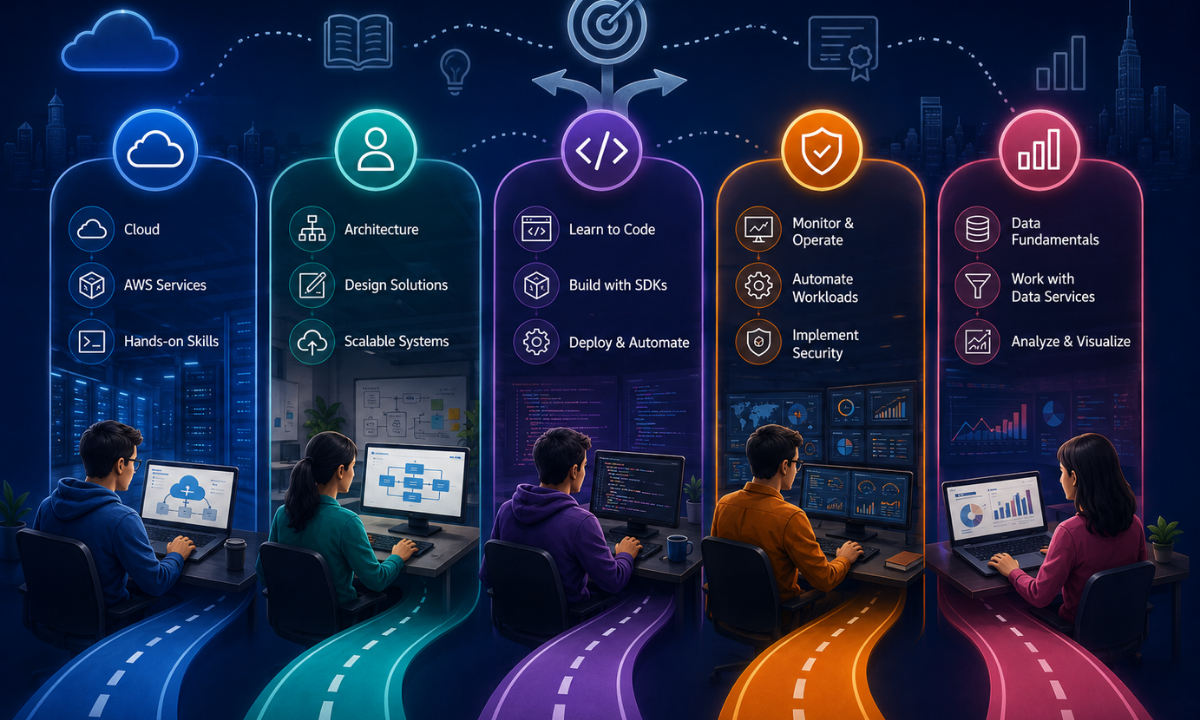
|
Career Goal Track |
Recommended Step-by-Step Certification Sequence
|
|---|---|
|
Non-Technical Track |
[ Cloud Practitioner (CLF-C02) ] → [ Solutions Architect Associate (SAA-C03) ] → [ Cloud Business Analyst / Sales ] |
|
Software Developer Track |
[ Developer Associate (DVA-C02) ] → [ Solutions Architect Associate (SAA-C03) ] → [ DevOps Engineer Professional ] |
|
Infrastructure & Ops Track |
[ Solutions Architect Associate (SAA-C03) ] → [ SysOps Administrator (SOA-C02) ] → [ Security Specialty ] |
1. The Non-IT & Fresher Track: Step-by-Step Transition
For students coming from non-technical degrees or candidates switching from non-IT jobs, starting with fundamental concepts is essential to build lasting confidence.
-
Step 1: Master Fundamentals with Cloud Practitioner (CLF-C02): Focus on understanding the basic vocabulary of the cloud, including virtual storage, compute instances, global data centers, and billing rules.
-
Step 2: Advance to Solutions Architect Associate (SAA-C03): After learning the basics, move to hands-on architecture labs to learn how virtual private clouds (VPCs), subnets, and database clusters connect in real projects.
-
Step 3: Build Real Project Blueprints: Complete 2 to 3 end-to-end lab deployments on the AWS Free Tier, documenting your architecture design to demonstrate practical competency during job interviews.
Following this two-step progression allows non-technical freshers to transition smoothly from high-level concepts to real-world cloud engineering without getting overwhelmed by technical jargon.
2. The Developer & Coding Track: Application-First Learning
For learners who already write code in Python, Java, or JavaScript, the focus shifts toward building serverless applications and deploying microservices.
-
Step 1: Start Directly with Developer Associate (DVA-C02): Jump straight into cloud development by learning serverless computing with AWS Lambda, API Gateway routing, and NoSQL modeling with Amazon DynamoDB.
-
Step 2: Broaden Knowledge with Solutions Architect Associate (SAA-C03): Learn the broader networking and storage concepts needed to host backend APIs, manage containerized applications, and design disaster recovery setups.
-
Step 3: Level Up to DevOps Engineer Professional (DOP-C02): Master automated CI/CD deployment pipelines, container orchestration with Amazon EKS, and Infrastructure as Code using Terraform or AWS CDK.
This path equips programmers with the exact skills required by modern product startups and high-growth SaaS companies building cloud-native applications.
3. The Systems & Infrastructure Track: Operations & Security
For system administrators, network engineers, and desktop support technicians, the goal is to master infrastructure monitoring, governance, and automated deployments.
-
Step 1: Core Design with Solutions Architect Associate (SAA-C03): Build a strong foundation in high availability, load balancing, multi-tier network isolation, and storage management.
-
Step 2: Operations Focus with SysOps Administrator Associate (SOA-C02): Learn how to monitor server fleet health with Amazon CloudWatch, automate OS patching with AWS Systems Manager, and manage auto-scaling triggers.
-
Step 3: Specialize in AWS Certified Security Specialty (SCS-C02): Deepen your knowledge of encryption key management (AWS KMS), identity federation, network firewall rules, and compliance auditing.
This progression prepares infrastructure professionals to step into high-paying roles managing mission-critical enterprise systems and site reliability operations.
Why Choose Apponix Technologies for Your AWS Certification Training?
Passing an AWS certification exam requires more than reading theoretical study guides; it demands regular hands-on practice in real cloud environments. Apponix Technologies delivers a practical, student-focused training ecosystem designed to help freshers and working professionals clear their target AWS exams on the first attempt. Guided by certified cloud practitioners, students configure live virtual servers, design private subnets, and troubleshoot infrastructure errors rather than memorizing question dumps.
-
Dedicated Hands-On Cloud Labs: Practice directly on live AWS consoles by creating EC2 instances, configuring S3 storage buckets, and setting up secure IAM roles to build the muscle memory required for scenario-based exam questions.
-
1-on-1 Mentorship from Certified Architects: Learn from experienced cloud professionals with over a decade of enterprise experience who review your architectural lab work and simplify complex cloud concepts.
-
Curated Mock Exams & Timed Practice Tests: Test your knowledge with updated question banks and timed mock exams that simulate the actual AWS testing environment, helping you build exam-day speed and confidence.
-
Professional Resume & Profile Building: Convert your lab exercises into documented cloud projects, building an attractive GitHub repository and an optimized LinkedIn profile that catch the eye of hiring managers.
-
Dedicated Placement Assistance in Bangalore: Access active hiring pipelines across leading IT services firms, tech startups, and Global Capability Centers (GCCs) across Bengaluru, backed by targeted technical mock interviews.
Combining live cloud lab practice with personalized mentor guidance and dedicated placement support, Apponix Technologies provides the exact framework you need to clear your AWS certification and start your cloud engineering journey.
The Ultimate Student Preparation Checklist
Preparing for your first AWS certification is much easier when you break your study routine into clear, manageable daily steps. Use this checklist to track your progress over a standard 4-to-8 week preparation window:
-
Create an AWS Free Tier Account: Set up your free personal account on the AWS console, enable Multi-Factor Authentication (MFA) on your root user, and configure a zero-dollar billing alert to avoid unexpected charges while experimenting with EC2, S3, and VPC services.
-
Download the Official AWS Exam Guide: Review the latest exam guide from the official AWS Certification portal to understand the exact percentage weighting of each domain and identify the services tested on your specific exam.
-
Complete Hands-On Architecture Labs: Build active projects such as launching an auto-scaling EC2 web server, creating private VPC subnets with NAT gateways, and hosting a static website on Amazon S3 to develop the practical intuition needed for scenario-based questions.
-
Study Core AWS Whitepapers & FAQs: Read the AWS Well-Architected Framework whitepaper and review official FAQs for key foundational services like IAM, S3, EC2, and RDS to understand high-availability and disaster recovery design patterns.
-
Score 85%+ on Timed Mock Exams: Take at least 4 to 6 full-length practice exams under real testing time constraints, carefully analyzing both your correct and incorrect answers until you consistently score above 85% on fresh question sets.
-
Schedule Your Official Exam Date: Book your test appointment at an authorized Pearson VUE testing center or select the online proctored option at least two weeks in advance to set a firm deadline and maintain study discipline.
Following this structured checklist ensures you do not rush into the exam on guesswork, but walk in with genuine technical competence and the confidence to pass on your first attempt.
Conclusion
Starting your cloud career does not require mastering every AWS service on day one. If you come from a non-technical background, the Cloud Practitioner or AI Practitioner exam offers a smooth, pressure-free introduction to modern cloud concepts.
If you are an IT graduate, programmer, or system administrator, stepping directly into the Solutions Architect or Developer Associate certification will build the practical infrastructure and coding skills that technical recruiters value most. By combining structured study with consistent hands-on lab practice and expert mentorship, you can clear your exam with confidence and build a rewarding career in cloud engineering.
Reference:
https://www.coursera.org/articles/which-aws-exam-should-i-take

Apponix Academy
Apponix Academy