POPULAR COURSES
Master Programs


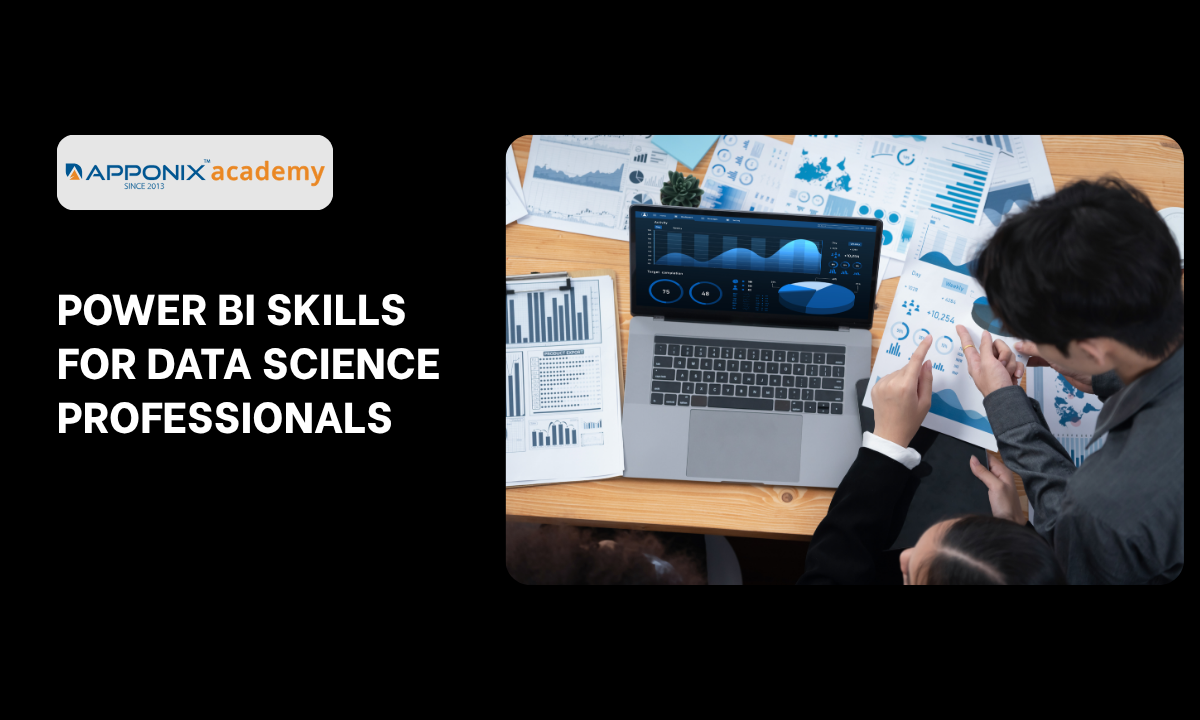
Table of contents:
|
1. Advanced DAX and Scalable Semantic Modeling |
|
2. Native AI Integration: AutoML and Predictive Visuals
|
|
3. The Communication Bridge and Why Visualization Sells Data |
|
4. Microsoft Fabric and the 2026 Copilot Ecosystem |
|
5. Why Choose Apponix Academy for BI Mastery? |
|
6. Conclusion |
Writing mathematically flawless Python code means absolutely nothing if your CEO cannot understand what it does. This is the brutal reality of the 2026 corporate landscape. Data scientists often spend weeks fine-tuning highly complex machine learning models, only to present their findings in static, unreadable spreadsheets. This massive communication failure kills executive buy-in instantly.
Understanding Power BI Skills for Data Science Professionals is no longer an optional resume booster. It is a mandatory requirement for survival in the modern analytics ecosystem. Business leaders do not want to look at your backend code. They demand interactive, real-time visual dashboards that allow them to physically manipulate the data and immediately grasp the financial implications of your predictive models.
Consider exactly why raw algorithms fail to drive business strategy:
-
The Visualization Deficit: A highly accurate predictive model sitting in a Jupyter Notebook provides zero strategic value until it is translated into a language that non-technical stakeholders can easily absorb.
-
Real-Time Decision Making: Legacy static reports are entirely obsolete. Executives require dynamic data feeds that shift instantly as market variables change.
-
Bridging the Technical Gap: Enrolling in an AI course in Bangalore gives you the theoretical foundation to build complex models, but mastering Power BI gives you the commercial leverage to actually sell those models to enterprise leadership.
We are going to deconstruct exactly why Power BI has aggressively evolved from a basic reporting tool into a massive predictive visualization engine. You must understand how to merge your advanced coding capabilities directly with modern semantic modeling to remain relevant in this rapidly shifting market.
Advanced DAX and Scalable Semantic Modeling

The most dangerous misconception regarding Power BI is viewing it as a simple drag-and-drop visualization canvas. Junior analysts treat it like an upgraded version of Excel.
Senior data professionals understand it is actually a massive, highly scalable data handling engine. When you are tasked with processing fifty million rows of live consumer data, basic drag-and-drop features instantly collapse.
To manipulate enterprise-level datasets without crashing the system, data scientists must master two critical backend architectures: Data Analysis Expressions (DAX) and Semantic Modeling.
DAX is the native formula language of Power BI. It is not just about calculating simple averages. Advanced DAX allows you to create highly complex, context-aware metrics that calculate dynamic time intelligence, predictive moving averages, and aggressive conditional logic instantly. If your DAX code is inefficient, a simple visual refresh could take five minutes, destroying the user experience.
Equally important is the Semantic Model. In 2026, Microsoft aggressively transitioned to cloud-based semantic modeling. This is where you define the absolute truth of your data before anyone even builds a single chart.
Consider the exact architectural differences between amateur reporting and professional semantic modeling:
|
Data Architecture Level |
The Amateur Approach |
The 2026 Enterprise Standard |
|
Data Storage Mode |
Relying entirely on manual Import Mode for every single dataset. |
Utilizing Direct Lake to query massive OneLake data instantly without importing. |
|
Logic Processing |
Writing repetitive DAX formulas directly into individual visual elements. |
Building a centralized Semantic Model where complex logic is written once and shared globally. |
|
Security Protocols |
Creating completely separate reports for different management tiers. |
Enforcing strict Row Level Security (RLS) within the model to filter access dynamically. |
You cannot learn how to optimize a Direct Lake query or debug a cascading DAX failure by randomly clicking through the interface.
These are highly complex, backend engineering tasks. Choosing a specialized training institute in Bangalore allows you to move past the superficial charts. You will learn the exact database structuring and query optimization techniques required to keep massive enterprise dashboards running at lightning speed.
Mastering the semantic layer proves you are not just a report builder. It proves you are a highly capable data architect.
Native AI Integration: AutoML and Predictive Visuals
The traditional approach to data science required exporting information out of the reporting environment, running complex machine learning models in a separate script, and manually feeding the results back into a chart. This fractured workflow destroys real-time analysis. The 2026 enterprise standard demands that the predictive models live directly inside the visualization layer.
Power BI has aggressively embedded native artificial intelligence directly into its interface. You no longer have to choose between a beautiful dashboard and a powerful algorithm. You can execute both simultaneously.
To understand how powerful this native integration is, let us examine the three core predictive tools you must master:
1. The Key Influencers Visual
Instead of manually testing dozens of hypotheses to see why sales dropped, you simply drop your target metric into this visual. The native AI algorithm instantly runs background classification and regression trees to pinpoint the exact factors driving your outcome, ranking them by statistical impact.
2. The Decomposition Tree
This AI-guided tool allows executives to drill down into their data dynamically. If a company wants to analyze supply chain delays, the artificial intelligence automatically splits the data to reveal which specific factory, machine type, or shift is causing the most significant variance from the norm.
3. Automated Machine Learning (AutoML)
This is the ultimate bridge for data professionals. AutoML allows you to build, train, and deploy classification or forecasting models directly within Power Query. It automatically selects the best-performing algorithm and applies the predictive model to your live dataset without requiring you to write a single line of backend Python code.
Integrating these features is not a replacement for knowing how algorithms work. Anomaly detection and AutoML will generate highly confident, statistically flawless predictions even if your underlying data structure is completely broken. Your value lies in architecting a pristine Star Schema so these native AI tools produce accurate business insights rather than confident hallucinations.
Mastering these built-in tools allows you to answer complex executive questions instantly during a live meeting. Instead of saying you will run a script and get back to them next week, you simply adjust the Key Influencers visual and let the AI generate the predictive insight live on the screen.
The Communication Bridge and Why Visualization Sells Data

Data scientists frequently make a critical psychological error when presenting their findings. They assume the sheer mathematical brilliance of their algorithm will automatically convince leadership to take action. In reality, raw statistics do not change corporate behavior.
Emotion, clarity, and visual persuasion drive executive decisions.
Building a Power BI dashboard is fundamentally an exercise in human psychology. You are not just plotting data points on a screen. You are actively designing a visual narrative that forces a non-technical stakeholder to arrive at a specific strategic conclusion without feeling overwhelmed.
Consider the core principles of visual data persuasion you must deploy:
-
The Three Second Rule: An executive must understand the primary business threat or opportunity within three seconds of looking at their dashboard. If they have to ask what a specific chart means, the visual has already failed.
-
Strategic Color Isolation: Never use a rainbow of colors for decoration. Use neutral grays for all baseline data and deploy aggressive colors like red or bold blue exclusively to highlight severe anomalies or critical target metrics.
-
Cognitive Information Hierarchy: The most critical financial takeaway must anchor the top left corner of the screen, as this is exactly where the human eye naturally begins scanning.
This level of psychological targeting is completely absent in traditional computer science degrees. Interestingly, understanding how to manipulate user attention through visual hierarchy and emotional triggers is a core competency taught in any premier data science course in Bangalore.
Data professionals must aggressively adopt these exact marketing principles. You must view your Power BI dashboard as a high-converting landing page, where the ultimate conversion is getting the CEO to approve your strategic recommendation.
When you combine predictive machine learning algorithms with elite visual storytelling, you stop being a backend coder and instantly become a front-line strategic advisor.
Microsoft Fabric and the 2026 Copilot Ecosystem
The release of Microsoft Fabric has fundamentally shattered the walls between data engineering, data science, and basic reporting. Power BI is no longer a standalone desktop application. It is now the visual presentation layer of a massive, unified analytics operating system.
In 2026, elite data professionals are completely abandoning disjointed tech stacks. Microsoft Fabric consolidates everything into a single centralized environment called OneLake. This advanced architecture allows you to run Spark notebooks, manage data warehouses, and build interactive Power BI reports without ever moving or duplicating your underlying data.
However, the most aggressive disruption within this new ecosystem is the native integration of Generative AI. The massive 2026 Copilot updates have completely redefined how data professionals interact with their semantic models and how executives consume data.
The Copilot Engineering Advantage:
-
Instant DAX Generation: Writing complex Data Analysis Expressions manually from scratch is becoming obsolete. You can now prompt Copilot to generate, optimize, and debug highly complex DAX queries simply by describing your required business logic in natural language.
-
Automated Narrative Insights: Copilot does not just build simple charts. It generates dynamic text summaries that automatically adjust as executives filter the dashboard. It surfaces key trends, performance highlights, and massive anomalies instantly.
-
App-Scoped Intelligence: Copilot now operates across entire organizational reporting apps. Executives can have full, back-and-forth analytical chats with their data directly from their mobile devices, asking open-ended questions and receiving AI-generated visualizations on the fly.
To understand the sheer scale of this transition, compare the outdated workflows against the current enterprise standard.
|
Legacy Power BI Workflow |
The 2026 Fabric and Copilot Standard |
|
Data Duplication |
Querying massive Delta tables directly in OneLake via Direct Lake mode with zero data movement. |
|
Manual Summaries |
Generating visual-level and report-wide insights instantly using Copilot summarize shortcuts on the ribbon. |
|
Siloed Engineering |
Running predictive Python Notebooks and pushing the results directly into the shared Power BI semantic model. |
Deploying these automated features requires extreme structural discipline. AI can make analytics faster, but turning on Copilot before your data foundation is perfectly clean will create severe corporate confusion.
Governance and AI Security:
-
Strict Row Level Security: Copilot is highly intelligent, but it only reads what the semantic model allows. Mastering security protocols ensures the artificial intelligence never accidentally exposes restricted financial data to unauthorized management tiers.
-
Git-Friendly Copilot Tooling: The 2026 architecture stores Copilot metadata in a highly documented structure outside the main Analysis Services database. This massively improves performance and allows advanced developers to utilize proper source control.
-
Semantic Model Supremacy: AI will only scale the mistakes of a poorly designed database. You must build a flawless Star Schema before you ever allow an automated agent to analyze your metrics.
You cannot leverage Copilot effectively if your foundational data model is broken. Mastering the complete Fabric ecosystem is the absolute only way to ensure your automated insights are mathematically sound and ready for enterprise deployment.
Why Choose Apponix Academy for BI Mastery?
Learning how to build a basic pie chart will not secure your future in the 2026 data economy. Automated tools can already generate simple reports. The true financial value belongs exclusively to the data professionals who can architect highly scalable semantic models, deploy complex DAX logic, and integrate live machine learning algorithms directly into the Microsoft Fabric ecosystem.
Apponix Academy completely rejects superficial interface training. We focus entirely on rigorous, enterprise-level data architecture.
-
100% Placement Assurance Pipeline: We actively bypass the standard chaotic job application process. Our specialized recruitment architecture places your verified portfolio directly in front of hiring managers who desperately need advanced visualization developers.
-
Live Microsoft Fabric Access: You will not waste time analyzing perfectly clean academic datasets. You are forced to build and deploy complex dashboards utilizing real OneLake integrations and Direct Lake queries.
-
Elite Practitioner Mentorship: Your instructors are not theoretical academics. They are senior data architects actively building the predictive visualization systems currently driving the modern tech market.
-
Production Ready Portfolio Building: You will graduate with a verified repository of complex dashboards showcasing custom-built DAX calculations, native AI integrations, and strict Row Level Security protocols.
-
Aggressive Technical Interview Simulation: We subject you to intense technical screening sessions to ensure absolute confidence. You will walk into the corporate boardroom fully prepared to defend your semantic model architecture under extreme pressure.
We give you the exact technical and visual frameworks required to transition from a backend algorithm developer into an elite, front-line strategic advisor.
Conclusion
The era of presenting complex machine learning models in static spreadsheets is officially dead. The global shift toward unified data ecosystems like Microsoft Fabric means the demand for professionals who intimately understand DAX optimization, semantic modeling, and native AI integration is accelerating at an unprecedented velocity. Continuing to rely entirely on backend Python scripts while ignoring the power of executive visualization places your technical longevity at a massive disadvantage.
The strategic window to establish yourself as a foundational data architect is open right now. You simply need the discipline to master the presentation layer. Take immediate control of your professional trajectory, stop hiding behind raw code, and start engineering the visual insights that actually drive enterprise decisions today.

Apponix Academy
Apponix Academy