POPULAR COURSES
Master Programs




Data Analytics Course in Bangalore
Guaranteed 5 interviews & certification from Jainx University.
At Apponix Academy, we offer a structured, mentor-led Data Analytics course in Bangalore equips learners with the confidence to step into analyst roles across industries. Master industry-relevant data analytics skills with our comprehensive training programme in Bangalore. Learn Excel, SQL, Python, Power BI, Tableau, and real-world analytics techniques from senior data analysts working at Accenture, TCS, Intel, and Mindtree.
Our industry-focused training helps you build expertise in data analysis, visualisation, reporting, and business intelligence using leading tools and technologies. Delivered through classroom sessions in Rajajinagar and Marathahalli, or online with live interactive classes.
With expert trainers, live project exposure, flexible learning options, and placement-oriented support, our Data Analytics training in Bangalore prepares you for high-demand career opportunities in IT, finance, healthcare, e-commerce, marketing.
2000+ Ratings
3000+ Happy Learners
60+Hours Live Training
4Industry Projects
15+Analytics Tools
100%Placement Support
1-YearRecorded Access
Video Testimonials By Our Students
Key Skills Gained in Data Analytics Training Programme

Data Analysis & Business Requirements
Data Cleaning & Transformation
SQL & Advanced SQL
Advanced Excel Functions
Power BI & Data Visualization
DAX & Power Query (M Language)
Data Modelling & Power Pivot
Statistical Analysis
ETL Processes & Data Warehousing
KPI Development & Business Intelligence
Key Features of Our Data Analytics Course in Bangalore
11 Real-World Case Studies
4 Live Projects
Training by Industry Experts
Professional Resume Building
Interview Preparation
Interpersonal Skills Training
Dedicated Placement Advisor
Certification Guidance
Weekly Practice Assignments
Classroom & Online Training with 1-Year Recorded Session Access
Data Analytics Tools You'll Master
Our Data Analytics Course in Bangalore covers the complete stack of industry-leading tools used by data analysts across IT, finance, healthcare, e-commerce, and consulting sectors. You will gain practical, project-based experience with each tool through guided lab sessions and real-world case studies.

Microsoft Excel & Advanced Excel
Master data cleaning, pivot tables, VBA macros, Power Query, and advanced formulas for business reporting and analysis.

SQL & MySQL
Learn to write complex queries, joins, stored procedures, and window functions for retrieving and analysing large datasets from relational databases.

Python for Data Analysis
Work with Pandas, NumPy, Matplotlib, and Seaborn to clean, analyse, and visualise datasets programmatically.

Microsoft Power BI
Build interactive dashboards, use DAX expressions, and create data models for enterprise-grade business intelligence reporting.

Tableau
Design compelling visual stories, build interactive dashboards, and connect to multiple data sources for real-time analytics.
Statistics & Analytics Concepts
Cover descriptive statistics, hypothesis testing, regression analysis, and probability theory that form the foundation of data-driven decision-making.

ChatGPT & AI-Assisted Analytics
Learn how to use AI tools to accelerate data analysis workflows, generate insights, and automate reporting tasks.
ETL & Data Warehousing Concepts
Understand data pipelines, transformation processes, and warehousing fundamentals used in modern analytics environments.
Our Alumni Working in Top Companies in the Industry



































Reviews By Our Students

Dhananjaya GR
Overall my experience with the course so far has been really good. The trainer(Azra mam) has been the best. She is super easy going and explains things in a way that's easy to understand. The modules covered are good and feel industry standard overall and the classrooms are clean and well maintained.

Priyadharshini Nalliyappan
My time at Apponix Academy was truly valuable and enriching. I signed up for the Data Analytics program, and the course was thoughtfully designed with a strong focus on practical learning. Maira Mam stands out as a fantastic trainer—her explanations are easy to follow, and she is very patient in explaining the doubts and assisting for any hands-on activity.

Sathiyapriyen Baskaran
I had a great learning experience at Apponix Academy. I enrolled in the Data Analytics course, and the training was well structured and practical. Maira Mam is an excellent instructor—she explains concepts very clearly and is always supportive and patient.
Placements






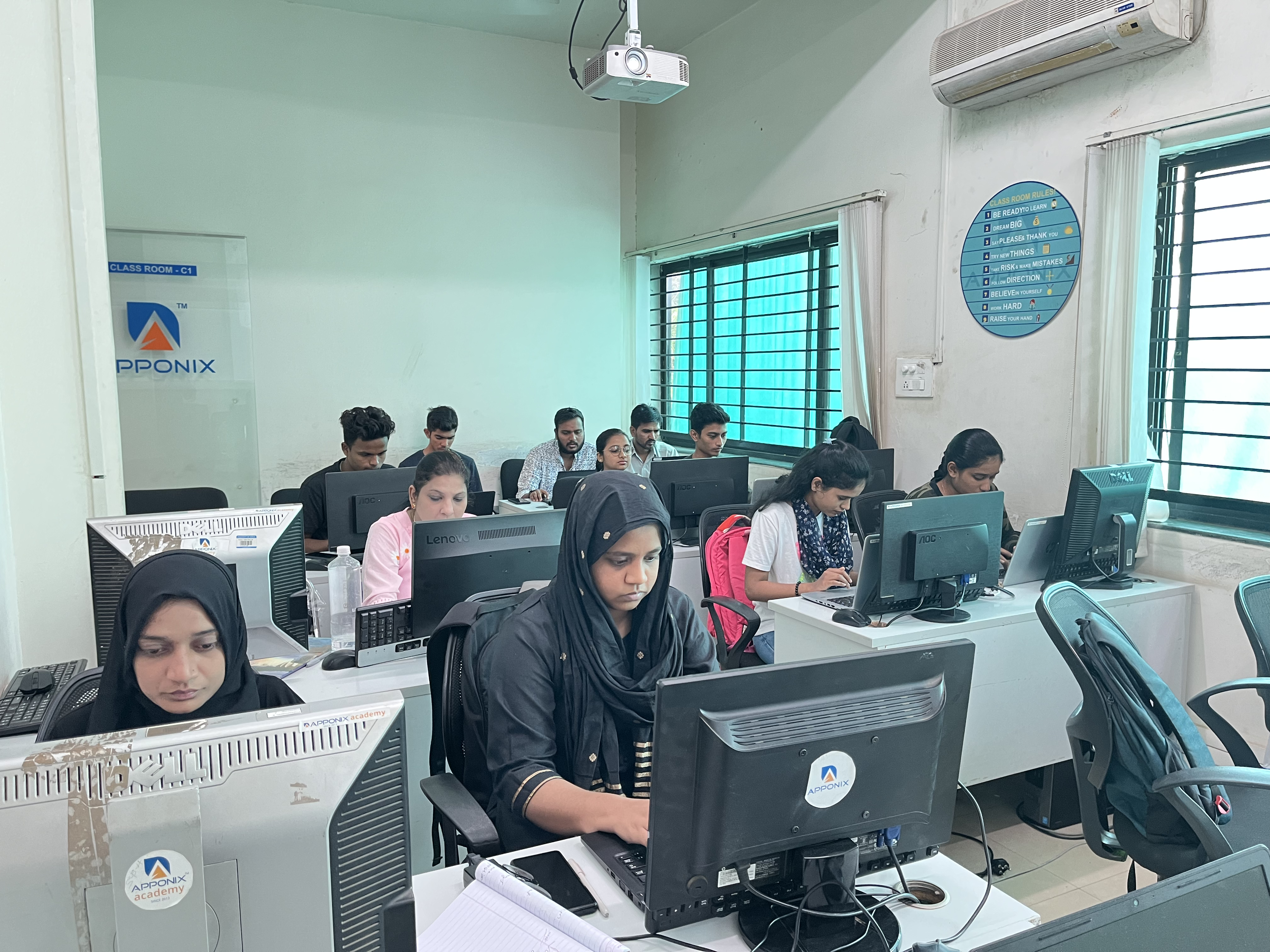
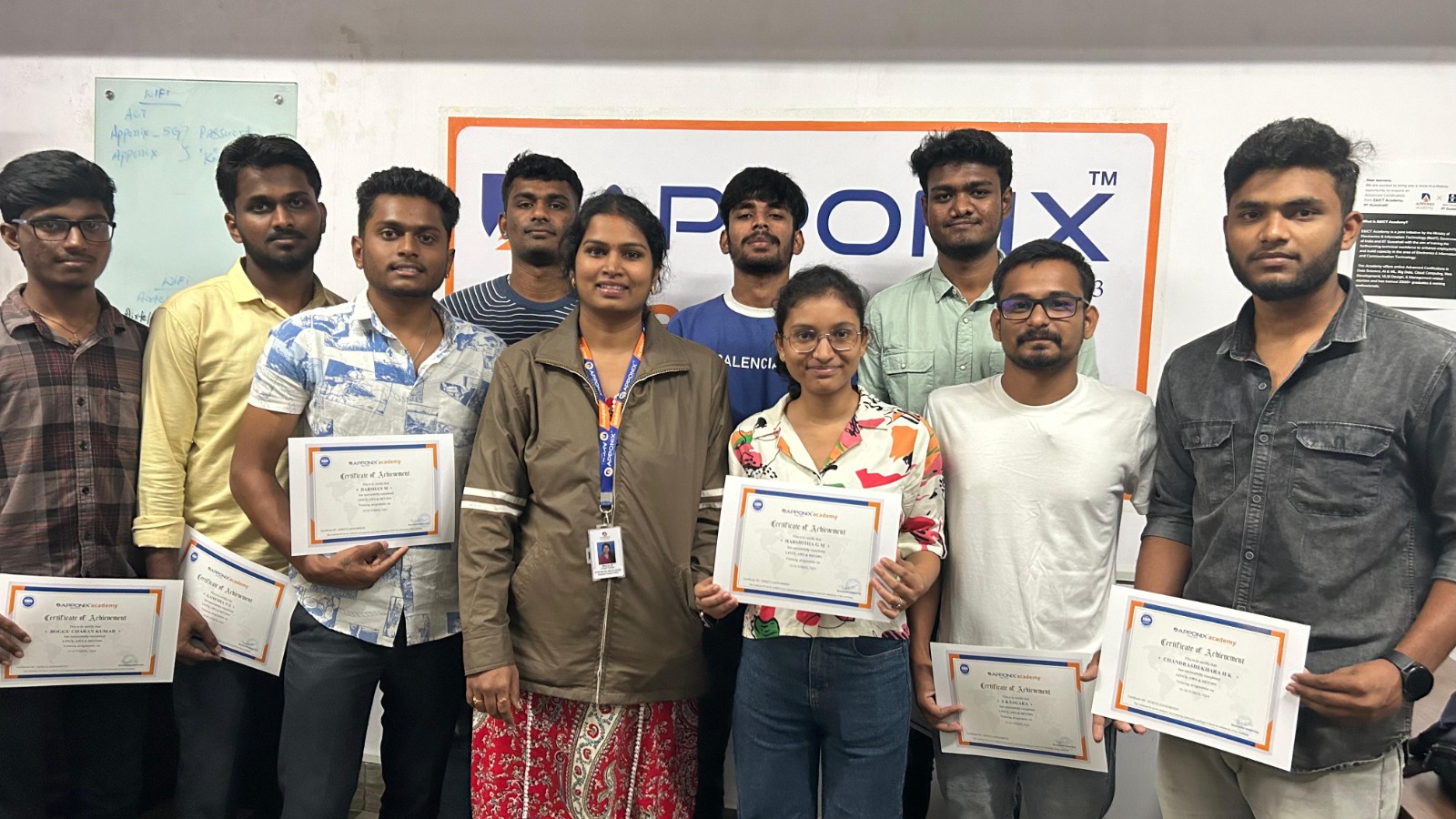
Data Analytics Offline Training Photos

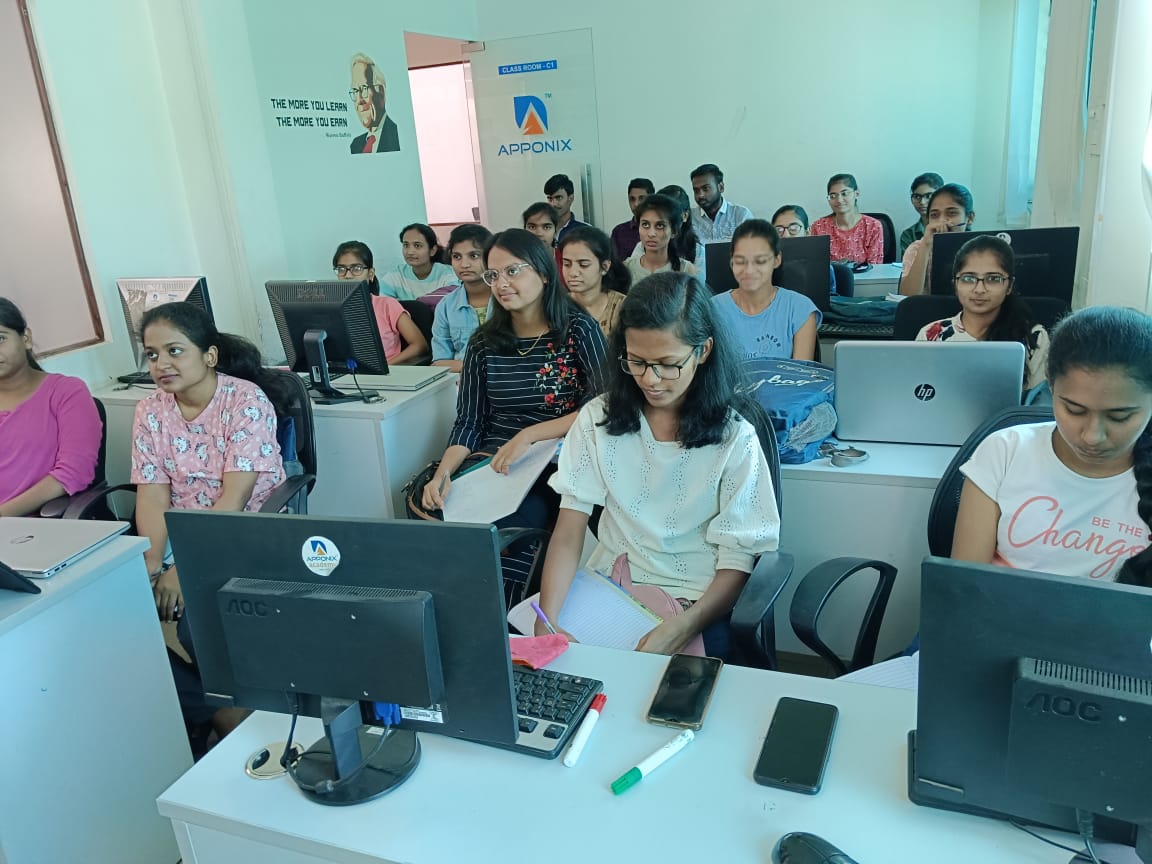
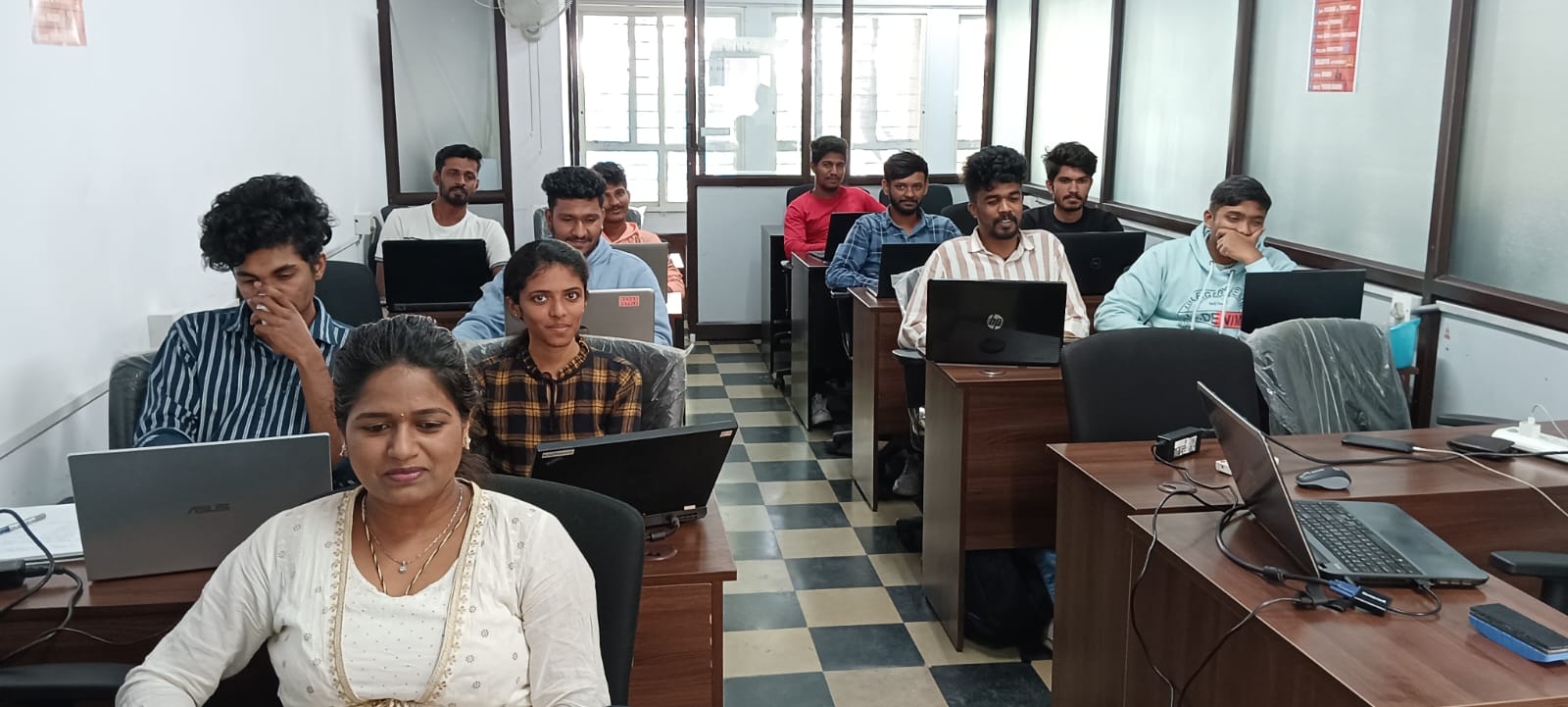
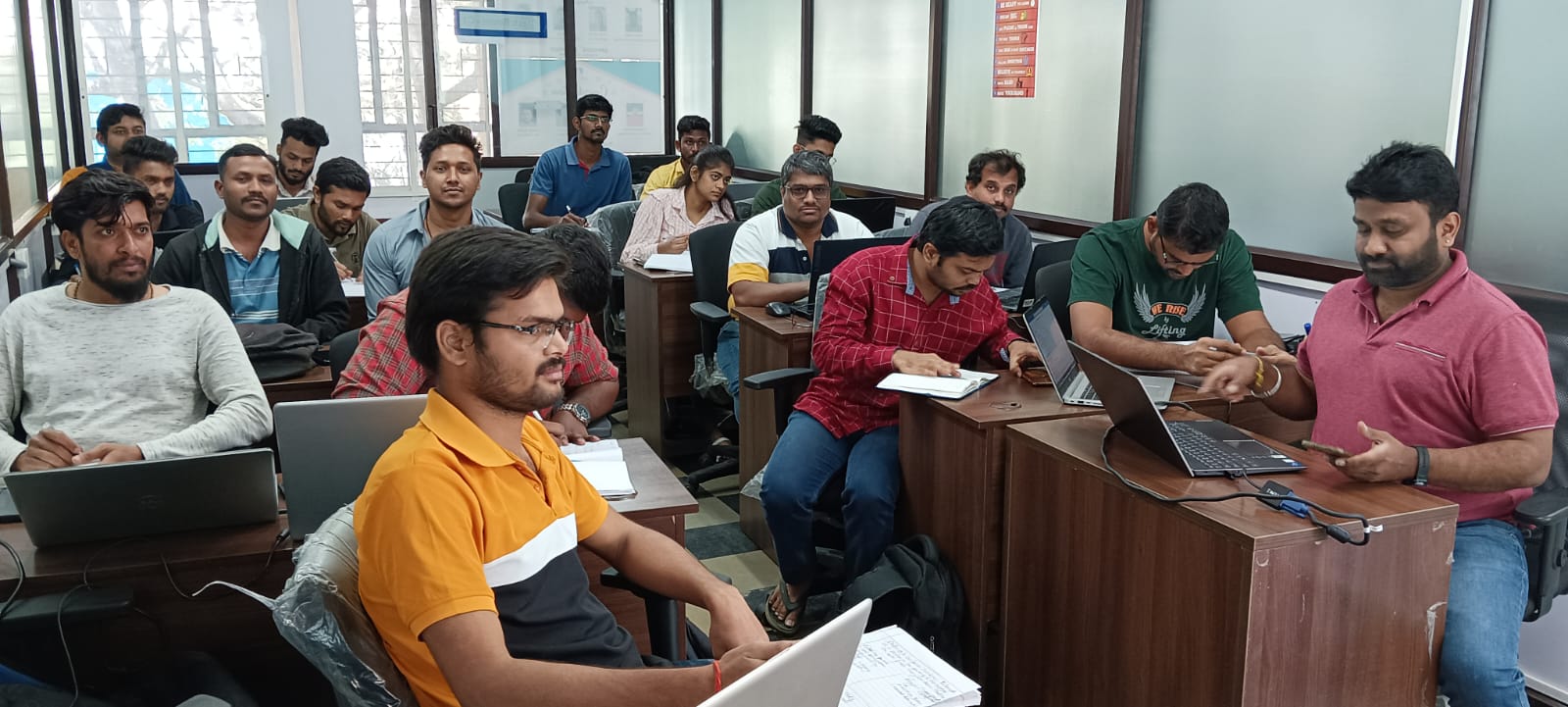
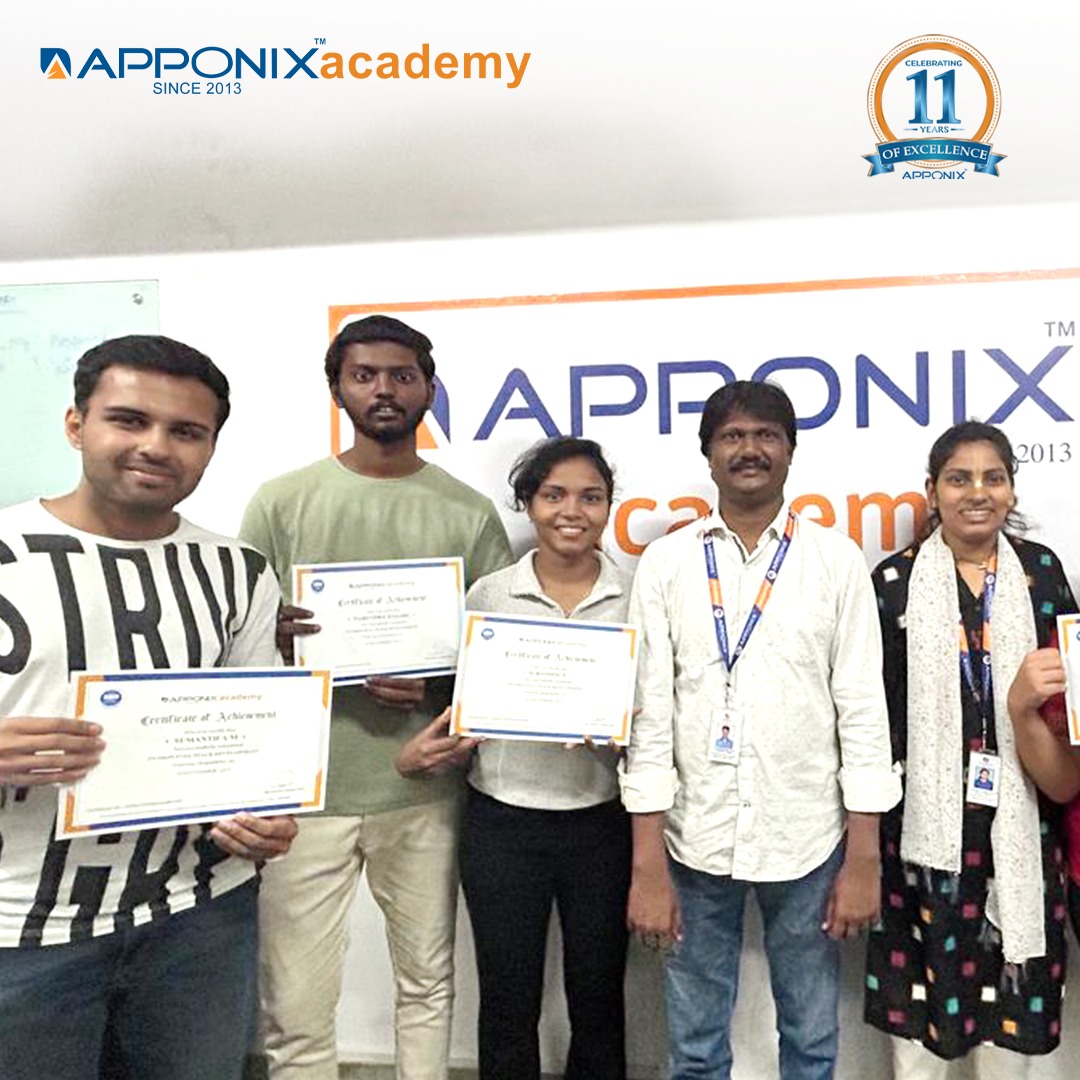


Training Options and Fee Structure
Class room Training
Up to ₹40,000
- Interactive Classroom Training Sessions
- 40 Hrs Practical Sessions
- Delivered by Working Professionals
- 1 Year Access to Recorded Sessions
- Placement Assurance
- Guaranteed 3 Interview Arrangements
- Daily 2 Hrs or Weekend 10 Hrs
- Customized training based on client requirement
- Regular assignments will be given and assessments will be taken.
Online Training
Up to ₹40,000
- Interactive Live Training Sessions
- Customized training based on client requirement
- Linkedin Learning Premium access for 12 months to all the participants
- Delivered by Industry Experts
- 1 Year Access to Recorded Sessions
- Placement assistance will be provided
- Guaranteed 3 Interview Arrangements
- Daily 2 Hrs or Weekend 10 Hrs
- Regular assignments will be given and assessments will be taken.
Flexible Payment Options
- Zero-interest EMI available across major banks
- Instalment-based payment plans
- Group and student discounts on request
- Early enrolment discounts for upcoming batches
Call +91 80505 80888 or to receive the latest fee structure, discounts, and enrolment offers for the Data Analytics Course in Bangalore.
Upcoming Data Analytics Batches in Bangalore
26-10-2026
- Weekday Batch (Mon–Fri)
- Start Date: 26 October 2026 | 8:00 AM – 9:30 AM IST
- Mode
- Classroom (Rajajinagar) / Online Live
- Duration
- 3 Months | 60+ Hours
Cannot find a batch that fits your schedule? Request a custom batch and our coordinators will arrange training at a time convenient for you.
Data Analyst Syllabus
Eligibility
To become a successful Data Analyst, you can benefit from the guidance of our expert trainers. The best part about our training program is that all you need is a basic understanding of computers.
Pre-requisites
No prior knowledge or work experience is needed to take this Data Analyst course and learn all aspects of data analysis.
Throughout the course, you will gain all the necessary skills to become a proficient data analyst, from mastering programming languages to using advanced analytical tools.
Data Analyst Training Course Syllabus
Data Analyst Project Life Cycle
Phase 1 - Data Collection
After carefully evaluating the business case in a particular domain, data will be collected surrounding it.
Phase 2 - Data Preparation
Using SQL, a database will be created to store the data collected in the previous step.
Phase 3 - Insights Generation And Dashboard Building
Establish a connection between the database and Tableau/Python/R tools to extract the required data. Generate user-friendly reports according to the business needs and develop the dashboard using Tableau/Power BI.
Projects
Analysis Of Patient Data (Domain: Healthcare)
This project requires learners to analyze the patient data of those suffering from different diseases across various summaries. The facility, chain organizations, and dialysis stations analysis is required to be carried out where the patients are undergoing dialysis. The project also focuses on the payment mode aspect wherein if any discounts or reduction in payments have happened then those are analyzed.
Loan Of Customers (Domain: Banking And Finance)
In this project, learners analyze the loan given by a financial institution to different customers of varied grades and sub-grade levels. The analysis needs to consider the loan disbursement reasons, funded amount, and revolving balance values for every customer in different states and geolocations. The project requires the customers payment modes and the last payment values.
Employee Retention (Domain: HR Analytics)
This HR-related project considers the attrition rate of employees working at an organization at different levels. The attrition rate analysis is done with respect to different factors such as monthly income, last promotion year, job role, and work-life balance of every employee of different departments
Industrial Combustion Energy Use (Domain: Energy)
The project requires learners to analyze the usage of different fuels in different facilities in different applications by finding the MMBTu and GWHt values. The fuels used for different geo-locations and for different primary titles are also taken into consideration while doing analysis.
Flights Delay Analysis (Domain: Aviation)
The primary aim of the project is to determine the different reasons behind the delay of flights of various airlines. The analysis needs to consider the number of flights in operation, the number of flights cancelled, and the statistical summary of week-wise, state-wise, and city-wise flight distributions.
Olist Store Analysis (Domain: ECommerce)
The market for a certain product is analyzed by considering a particular retail outlet which sells these products. The project involves statistical analysis on the payment distribution from different customers with the different modes of transactions across different product categories. The feedback from customers with respect to shipping days and other factors also needs to be considered while carrying out the analysis.
Excel
Introduction
- MS office Versions(similarities and differences)
- Interface(latest available version)
- Row and Columns
- Keyboard shortcuts for easy navigation
- Data Entry(Fill series)
- Find and Select
- Clear Options
- Ctrl+Enter
- Formatting options(Font,Alignment,Clipboard(copy, paste special))
Referencing, Named ranges,Uses,Arithemetic Functions
- Mathematical calculations with Cell referencing(Absolute,Relative,Mixed)
- Functions with Name Range
- Arithmetic functions (SUM,SUMIF,SUMIFS,COUNT,COUNTA,COUNTIFS,
- AVERAGE,AVERAGEIFS,MAX,MAXIFS,MIN,MINIFS)
Logical Functions
- Logical functions:IF,AND,OR,NESTED IFS,NOT,IFERROR
- Usage of Mathematical and Logical functions nested together
Referring data from different tables: Various types of Lookup, Nested IF
- LOOKUP
- VLOOKUP
- NESTED VLOOKUP
- HLOOKUP
- INDEX
- INDEX WITH MATCH FUNCTION
- INDIRECT
- OFFSET
Advanced Functions
- Combination of Arithmatic
- Logical
- Lookup functions
- Data Validation(with Dependent drop down)
Date and Text Functions
- Date Functions: DATE,DAY,MONTH,YEAR,YEARFRAC,DATEDIFF,EOMONTH
- Text Functions:
- TEXT,UPPER,LOWER,PROPER,LEFT,RIGHT,SEARCH,FIND,MID,TTC, Flash Fill
Data Handling::Data cleaning, Data type identification, Remove Duplicates, Formatting and Filtering
- Number Formatting(with shortcuts)
- CTRL+T(Converting into an Excel Table)
- Formatting Table
- Remove Duplicate
- SORT
- Advanced Sort
- FILTER
- Advanced Filter
Data Visualization: Conditional Formatting, Charts
- Conditional formatting (icon sets/Highlighted colour sets/Data bars/custom formatting)
- Charts: Bar,Column,Lines,Scatter,Combo,Gantt,Waterfall,pie
Data Summarization: Pivot Report and Charts
- Pivot Reports:Insert,Interface,CrosstableReports;Filter,Pivot Charts
- Slicers: Add,Connect to multiple reports and charts
- Calculated field, Calculated item
Data Summarization: Dashboard Creation, Tips and Tricks
- Dashboard:Types,Getting reports and charts together, Use of Slicers.
- Design and placement: Formatting of Tables,Charts,Sheets,Proper use of Colours and Shapes
Connecting to Data: Power Query, Pivot, Power Pivot within Excel
- Power Query: Interface, Tabs
- Connecting to data from other excel files, text files, other sources
- Data Cleaning
- Transforming
- Loading Data into Excel Query
Connecting to Data: Power Query, Pivot, Power Pivot within Excel
- Using Loaded queries
- Merge and Append
- Insert Power Pivot
- Similarities and Differences in Pivot and Power Pivot reporting
- Getting data from databases, workbooks, webpages
VBA and Macros
- View Tab
- Add Developer Tab
- Record Macro:Name,Storage
- Record Macro to Format table(Absolute Ref)
- Format table of any size(Relative ref)
- Play macro by button
- shape
- as command(in new tab)
- Editing Macros
- VBA:Introduction to the basics of working with VBA for Excel: Subs, Ranges, Sheets
- Comparing values and conditions
- if statements and select cases
- Repeat processes with For loops and Do While or Do Until Loops
- Communicate with the end-user with message boxes and take user input with input boxes, User Form
MySQL
Introduction to Mysql
- Introduction to Databases
- Introduction to RDBMS
- Explain RDBMS through normalization
- Different types of RDBMS
- Software Installation(MySQL Workbench)
SQL Commands and Data Types
- Types of SQL Commands (DDL,DML,DQL,DCL,TCL) and their applications
- Data Types in SQL (Numeric, Char, Datetime)
DQL & Operators
- SELECT
- LIMIT
- DISTINCT
- WHERE AND
- OR
- IN
- NOT IN
- BETWEEN
- EXIST
- ISNULL
- IS NOT NULL
- Wild Cards
- ORDER BY
Case When Then and Handling NULL Values
- Usage of Case When then to solve logical problems and handling NULL Values (IFNULL, COALESCE)
Group Operations & Aggregate Functions
- Group By
- Having Clause
- COUNT
- SUM
- AVG
- MIN
- MAX
- COUNT String Functions
- Date & Time Function
Constraints
- NOT NULL
- UNIQUE
- CHECK
- DEFAULT
- Primary key
- Foreign Key (Both at column level and table level)
Joins
- Inner
- Left
- Right
- Cross
- Self Joins
- Full outer join
DDL
- Create
- Drop
- Alter
- Rename
- Truncate
- Modify
- Comment
DML & TCL Commands
- DML
- Insert
- Update & Delete
- TCL
- Commit
- Rollback
- Savepoint
- Data Partitioning
Indexes and Views
- Indexes (Different Type of Indexes)
- Views in SQL
Stored Procedures
- Procedure with IN Parameter
- Procedure with OUT parameter
- Procedure with INOUT parameter
Function, Constructs
- User Define Function
- Window Functions
- Rank
- Dense Rank
- Lead
- Lag
- Row_number
Union, Intersect, Sub-query
- Union, Union all
- Intersect
- Sub Queries, Multiple Query
Exception Handling
- Handling Exceptions in a query
- CONTINUE Handler
- EXIT handler
Triggers
- Triggers - Before | After DML Statement
POWER BI
Power BI Introduction and Installation
- Understanding Power BI Background
- Installation of Power BI and check list for perfect installation
- Formatting and Setting prerequisits
- Understanding the difference between Power BI desktop & Power Query
The Power BI user interface, including types of data sources and visualizations
- Getting familiar with the interface BI Query & Desktop
- Understanding type of Visualisation
- Loading data from multiple sources
- Data type and the type of default chart on drag drop.
- Geo location Map integration
Sample dashboard with Animation Visual
- Finanical sample data in Power BI
- Preparing sample dashboard as get started
- Map visual Types and usages in different variation
- Understanding scatter Plot chart with Play axis and the parameters
Power BI artificial intelligence Visual
- Understanding the use of AI in power BI
- AI analysis in power bi using chart
- Q&A chat bot and the use in real life
- Hirarchy tree
Power BI Visualization
- Understanding Column Chart
- Understanding Line Chart
- Implementation of Conditional formating
- Implementation of Formating techniques
Power Query Editor
- Loading data from folder
- Understanding Power Query in detail
- Promote header, Split to limiter, Add columns, append, merge queries etc
Modelling with Power BI
- Loading multiple data from different format
- Understanding modelling (How to create relationship)
- Connection type, Data cardinality, Filter direction
- Making dashboard using new loaded data
Power Query Editor Filter Data
- Power Query Custom Column & Conditional Column
- Manage Parameter
- Introduction to Filter and types of filter
- Trend analysis, Future forecast
Customize the data in Power BI
- Understanding Tool tip with information
- Use and understanding of Drill Down
- Visual interaction and customisation of visual interaction
- Drill through function and usage
- Button triggers
- Bookmark and different use and implementation
- Navigation buttons
Dax Expressions
- Introduction to DAX
- Table Dax, Calculated column, DAX measure and difference
- Eg:- Calendar, Calendar auto, Summarize, Group by etc
- Calculated Column
- Related, Lookup value, switch, Datedif,Rankx,Date functions
- Dax Measure and Quick Measure
- Remove filters, Keep filters, All, Allselected, Time Intelligence Functions,Rollingaverage,YoY, Running total
Custom Visual
- Custom visual and understanding the use of custom
- Loading custom visual, Pinning visual
- Loading to template for future use
- Publishinhg Power Bi
Power BI Service
- Introduction to app.powerbi.com
- Schedule refresh
- Data flow and use power bi from online
- Download data as live in power point and more
Python
Anaconda Installation,Introduction to python,Datatypes,Opearators
- Variables,
- data types(integer,Boolean,Float,List,tuple,string),Opearators in python
Data types Contd,Slicing the data,Inbuilt functions in python
- Dictionaries,Sequencemethods,Concatenate,Repetition,len,min,maxfunctions,Indexposition,Addition and deletion of elements,Reverse,Sorting
Sets,SetTheory,RegularExpressions,Decision making statements
- Sets,re module(findall,search,split,match),if,elifGetting input from user,Identity Operators
Loops,Functions,Lambdafunctions,Modules
- For,Whileloops,Functions,Lambdafunctions,Mathmodule,Calendermodule,Date& time module
Pandas,Numpy,Matplotlib,Seaborn
- Data frame creation using different methods,Using Pandas anlysis on Universities,Salary data sets,Visualization using Matplotlib and Seaborn,Numpy introduction
ChatGPT
Introduction to ChatGPT and AI
- What is ChatGPT?
- The history of ChatGPT
- Applications of ChatGPT
- ChatGPT vs other chatbot platforms
- Industries using ChatGPT
- The benefits and limitations of ChatGPT
- Future developments in ChatGPT technology
- Ethical considerations related to ChatGPT and AI
Types of AI and Chatgpt architecture
- What is AI?
- Types of AI
- What is Machine Learning?
- Neural Networks
- Deep Learning
- Natural Language Processing (NLP)
- Computer Vision
- Robotics and AI
ChatGPT Functionalities and Applications
- How does ChatGPT work?
- ChatGPT Functionalities
- Drafting emails and professional communication
- Automating content creation
- Resume and Cover letter creation
- Research and information gathering
- Brainstorming ideas and creative problem solving
- Best Practices for Using ChatGPT
ChatGPT Prompt Engineering
- What is Prompt Engineering?
- Types of Prompts
- Crafting Effective Prompts
- Using ChatGPT to generate prompt
Call Us On
+91-80505-80888
Industry-Relevant Data Analytics Projects
Project 1
Sales Performance Analysis Dashboard
Work with large retail datasets to analyse sales trends, customer behaviour, regional performance, and revenue growth. Students learn to create interactive dashboards using Power BI and Tableau to generate actionable business insights.
Project 2
E-Commerce Customer Analytics Project
Understand customer purchasing patterns, retention rates, and buying behaviour through data-driven analysis. This project focuses on data cleaning, SQL querying, and visualisation techniques used by modern e-commerce companies.
Project 3
Financial Data Analysis and Forecasting
Analyse financial datasets to identify spending patterns, profit trends, and forecasting opportunities. Learners use Excel, Python, and statistical methods to build predictive models and improve decision-making processes.
Project 4
HR Analytics and Employee Performance Insights
Explore employee datasets to analyse attrition rates, workforce performance, hiring trends, and productivity metrics. This project helps learners understand how analytics supports HR decision-making in large organisations.
Our Top Instructors

Mr. Sheikh
About the Trainer
He is a working professional with over a decade of experience in Data Analytics. Currently, he is associated with a reputed MNC, serving as a Senior Platform Engineer.
Over the years, he has been a preferred Data Analytics trainer at Apponix Academy, where he has successfully trained more than 500 students. Known for his deep subject expertise, he effectively teaches practical analytics concepts, including configuration management tools.
Professional Experience & Technical Expertise:
- Extensive Experience: Over 10 years in analytics, currently working as a Senior Platform Engineer in a top MNC.
- Data Pipeline & BI Solutions: Skilled in building scalable data pipelines and delivering business intelligence solutions.
- Analytics Expertise: Proficient in Web, Social Media, Operational, Financial, Risk, and Health Analytics.
- Project Lifecycle Management: Experienced in requirement elicitation, stakeholder collaboration, and end-to-end analytics implementation.
Student Success & Career Support:
He has trained over 1000 students with an outstanding average rating of 4.8. His career support includes:
- Resume Building: Crafting data-focused resumes that stand out to employers.
- Interview Preparation: Conducting mock interviews and sharing real-world insights.
- Job Placement Assistance: Providing strategies and guidance to land roles in data analytics.

Harsha
Education:
I hold a degree from Dayananda Sagar, where I gained essential knowledge in data analytics and related technologies.
Professional Experience:
With over 10 years of experience working in various MNCs, I am currently a Senior Data Analyst at Mindtree, focusing on extracting insights from data to drive business decisions.
Technical Expertise:
- Business & Web Analytics: Skilled in Web, Social Media, Operational, Financial, and Risk Analytics to drive strategic insights and business growth.
- Healthcare Analytics: Applying data to enhance health outcomes and improve operational efficiency in healthcare settings.
- Data Planning & Monitoring: Expertise in planning, executing, and continuously monitoring data analysis processes for accuracy and impact.
- Requirements Management: Proficient in eliciting requirements, collaborating with stakeholders, and managing the full lifecycle of analytics projects.
Student Success & Career Support:
- Trained over 1000 students at Apponix Academy with a 4.8 average rating, offering hands-on, industry-relevant analytics education.
- Supported career growth through resume building, mock interviews, and personalized job placement assistance.
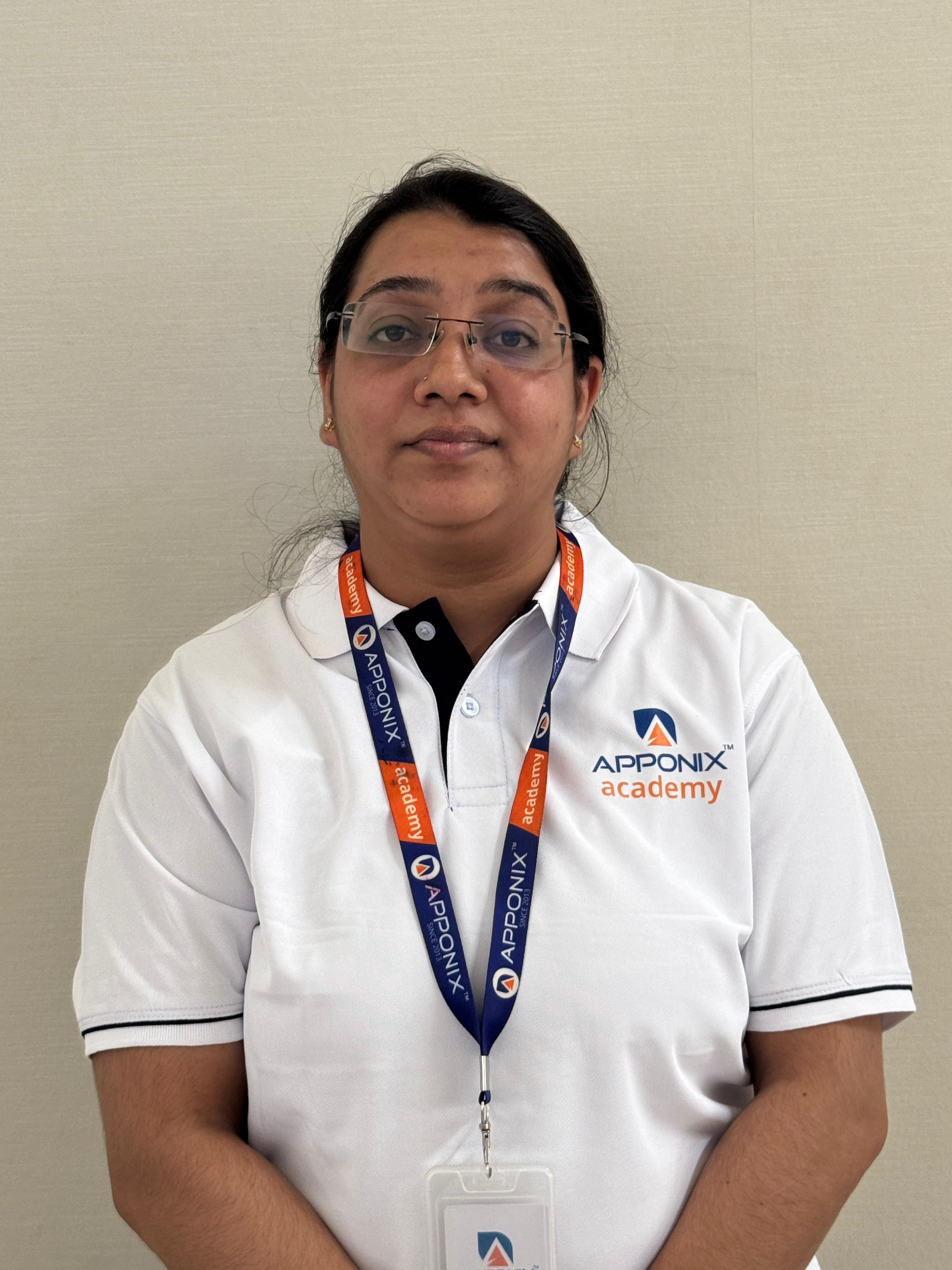
Maimuneesa Kazi
Education:
I graduated from Karnataka University, where I developed a solid foundation in data analytics and business intelligence.
Professional Experience:
With over 10 years of experience across various MNCs, I am currently a Senior Data Analyst at Accenture, specializing in transforming data into actionable insights.
Technical Expertise:
- Expert in Predictive, Descriptive, and Prescriptive Analytics to drive informed business decisions using data-driven insights.
- Skilled in Data Mining and Machine Learning to uncover hidden patterns and automate learning processes from historical data.
- Strong ability to analyze business requirements and translate them into effective data solutions.
- Proficient in Business Intelligence and Business Architecture for aligning analytics with strategic goals and operational efficiency.
Student Success & Career Support:
- Trained over 1000 students at Apponix Academy with an average rating of 4.8, focusing on practical, job-oriented analytics skills.
- Provided personalized resume building and interview preparation to boost student confidence and employability.
- Offered structured job placement support, helping students successfully transition into data analytics careers.

Suhas
Education:
I hold a degree from Global University, where I gained essential knowledge in data analytics and its applications.
Professional Experience:
With over 9 years of experience in various MNCs, I am currently a Senior Data Analyst at Intel, specializing in leveraging data to drive business success.
Technical Expertise:
- Big Data & Database Management: Skilled in handling large datasets using technologies like Hadoop, and managing SQL/NoSQL databases for optimal performance.
- ETL & Data Warehousing: Proficient in building robust ETL pipelines and designing data warehouses for efficient data storage and access.
- Business Intelligence & Analysis: Experienced in using BI tools to derive actionable insights and plan/monitor analysis for strategic decisions.
- Requirement Gathering: Adept at eliciting and translating business needs into data-driven solutions.
Student Success & Career Support:
- Trained over 1000 students at Apponix Academy with an outstanding average rating of 4.8, delivering hands-on, industry-relevant instruction.
- Provided personalized career support including resume building and mock interview sessions tailored for data analytics roles.
- Guided students through successful job placements with targeted strategies and mentorship.

Moksha
Education:
I graduated from Presidency University, where I laid the foundation for my expertise in data analytics.
Professional Experience:
With over 15 years of experience in the field, I currently serve as a Senior Data Analyst at TCS, working with various MNCs to deliver data-driven solutions.
Technical Skills:
- Data Strategy & Lifecycle Management: Skilled in planning, monitoring, and managing the full lifecycle of data analysis and business requirements.
- Business Intelligence & Analytics: Proficient in descriptive, predictive, and prescriptive analytics to drive strategic decision-making.
- Data Collection, Cleaning & Visualization: Experienced in collecting, preparing, and presenting data using effective visual tools for clear insights.
- Business Analysis & Architecture: Capable of aligning business goals with data solutions through structured analysis and architectural planning.
- Collaboration & Stakeholder Engagement: Strong in requirement elicitation and team collaboration to ensure data solutions meet organizational needs.
Student Success & Career Support:
- Trained over 1300 students at Apponix Academy with an exceptional 4.9 average rating, delivering practical, industry-aligned analytics training.
- Offered comprehensive career support including resume building, interview preparation, and job placement assistance, helping students secure roles in data analytics.
Overview of Data Analytics Course in Bangalore
Our Data Analytics Course in Bangalore is designed to provide learners with a complete understanding of modern data analytics practices, industry tools, and real-world implementation techniques. The program combines theoretical knowledge with practical exposure to ensure students gain the confidence required to work in data-driven environments across industries.
Industry-Oriented Advanced Certification Program
The course includes a structured certification program that validates your practical and technical expertise in data analytics. The curriculum is aligned with current industry standards and hiring requirements followed by leading organisations. Throughout the training, learners work on real-time assignments, business case studies, and practical exercises that strengthen analytical thinking and problem-solving capabilities.
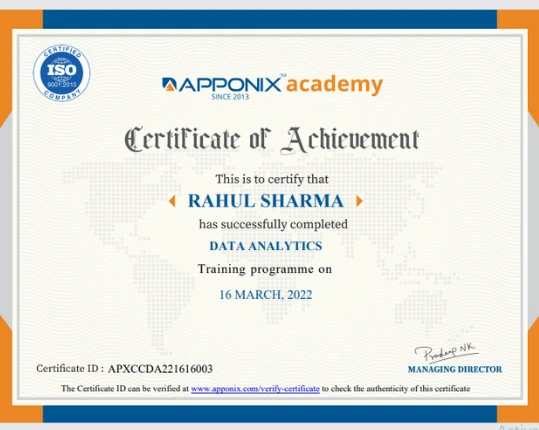
The certification offered by Apponix Academy demonstrates proficiency in data analysis, reporting, visualisation, and business intelligence concepts, helping learners improve their career opportunities in the competitive job market.
Tools and Technologies Covered During the Training
The training program covers some of the most widely used data analytics tools and technologies used by businesses worldwide. Students gain hands-on experience through live practice sessions and guided project implementation.
Key tools and technologies covered include:
- Microsoft Excel for data cleaning, reporting, and advanced analytics
- SQL for database management and querying
- Python for data analysis and automation
- Power BI for interactive dashboards and business intelligence
- Tableau for data visualisation and reporting
- Statistics and data interpretation concepts
- Data preparation and transformation techniques
By learning these technologies, students develop practical skills that are directly applicable to real-world analytics roles.
Real-World Data Analyst Project Life Cycle Training
Understanding the complete analytics workflow is an essential part of becoming a successful data analyst. This course introduces learners to the end-to-end project life cycle followed in professional analytics environments.
Students learn how to:
- Collect and organise raw business data
- Clean and prepare datasets for analysis
- Analyse structured and unstructured data
- Generate insights using statistical methods
- Create dashboards and visual reports
- Present findings for business decision-making
This practical exposure helps learners understand how analytics projects are executed within organisations and prepares them for real-time industry challenges.
Why Apponix Academy is a Preferred Choice for Data Analytics Training in Bangalore
Apponix Academy focuses on practical, career-oriented learning that helps students build strong analytical and technical foundations. The course is delivered by experienced industry trainers who provide mentorship, guidance, and real-world insights throughout the training journey.
Key advantages of learning with Apponix Academy include:
- Hands-on practical training with live projects
- Industry-relevant curriculum designed for current market demands
- Flexible classroom and online training options
- Dedicated placement assistance and interview preparation
- Real-time assignments and case study-based learning
- Experienced trainers with industry expertise
- Supportive learning environment for beginners and professionals
With a strong focus on practical implementation and career growth, the training program helps learners confidently prepare for opportunities in data analytics, business intelligence, and reporting domains.
This comprehensive course combines hands-on learning with expert-led sessions, ensuring you gain practical experience in real-world applications. With a curriculum tailored to industry standards, you’ll be well-prepared to step into high-paying data roles upon completion.
Data Analytics vs Data Science vs Business Analytics: What's the Difference?
Choosing between Data Analytics, Data Science, and Business Analytics can feel confusing because the three fields overlap in tools and techniques. Here's a clear comparison to help you decide which path aligns with your career goals.
| Aspect | Data Analytics | Data Science | Business Analytics |
|---|---|---|---|
| Primary Focus | Analysing past data to generate insights | Building predictive models using ML and AI | Applying analytics to solve business problems |
| Core Skills | Excel, SQL, Power BI, Tableau | Python, R, Machine Learning, Deep Learning | Excel, SQL, Statistics, Business Domain |
| Programming Depth | Low to Moderate | High | Low to Moderate |
| Maths & Statistics | Moderate | Advanced | Moderate |
| Typical Roles | Data Analyst, BI Analyst, Reporting Analyst | Data Scientist, ML Engineer, AI Specialist | Business Analyst, Strategy Analyst |
| Ideal Background | Any graduate with an analytical mindset | Engineering, Maths, Statistics, CS | Business, Commerce, Management |
| Average Salary in Bangalore (Fresher) | ₹3.5–6 LPA | ₹5–10 LPA | ₹4–7 LPA |
| Learning Curve | Beginner-friendly | Steep | Moderate |
| Course Duration at Apponix | 3 months | 4–6 months | 3 months |
If you enjoy working with data, spotting patterns, and telling stories through dashboards and reports, Data Analytics is the ideal starting point. Many of our learners begin with Data Analytics and later transition into Data Science once they've built a strong foundation in SQL, Python, and statistics.