POPULAR COURSES
Master Programs




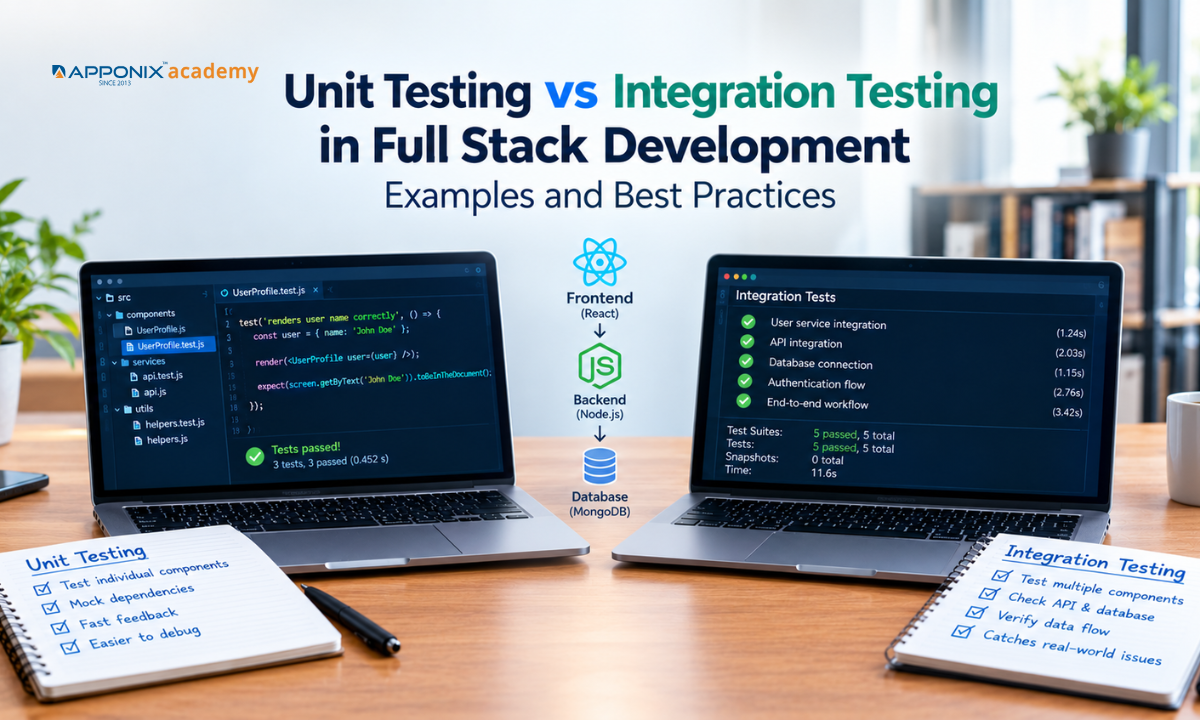
Table of contents:
|
1. What Is Unit Testing? |
|
2. What Is Integration Testing? |
|
3. Unit Testing vs Integration Testing: Key Differences |
|
4. Where Do These Tests Fit in Full Stack Development? |
|
5. Best Practices for Unit and Integration Testing |
|
6. How Unit and Integration Testing Improve Application Reliability? |
|
7. Conclusion |
Building a full stack application involves multiple components, including the user interface, backend services, APIs, and databases. Each component must work correctly on its own and communicate properly with the others. Testing helps developers identify issues before they affect users.
Unit testing and integration testing are two important parts of software testing. Unit testing checks individual components, while integration testing verifies how multiple components work together. Both help developers find defects early, improve application reliability, and reduce the effort required to fix problems later.
Understanding these testing methods is essential for anyone learning full stack development or working on web applications. Learners at Apponix Academy practice both unit and integration testing as part of hands-on full stack projects. This guide explains their differences, common tools, practical examples, and best practices.
What Is Unit Testing?

Unit testing is a software testing method that checks individual units of code in isolation. A unit can be a function, method, class, or small component. The goal is to confirm that each unit produces the expected result for a given input.
Developers usually write unit tests while building an application. These tests run quickly and help identify errors soon after code changes.
Example of Unit Testing
Consider an e-commerce application with a function that calculates the final price of a product after applying a discount.
function calculatePrice(price, discount) {
return price - (price * discount / 100);
}
test("applies a 10% discount", () => {
expect(calculatePrice(1000, 10)).toBe(900);
});
This test checks whether the function returns the correct price after applying a 10% discount. It does not require a database, backend API, or user interface.
If the function returns an incorrect value, the test fails and helps the developer locate the problem.
Benefits of Unit Testing
-
Early error detection: Identifies problems in individual functions before they affect other components.
-
Faster feedback: Tests run quickly during development.
-
Safer code changes: Helps confirm that existing functionality still works after updates.
-
Simpler debugging: Isolates failures to a smaller section of code.
-
Better code quality: Encourages developers to create focused functions and maintain clear logic.
Popular unit testing tools include Jest and Vitest for JavaScript and TypeScript, pytest for Python, and xUnit or NUnit for .NET applications.
What Is Integration Testing?
Integration testing checks whether two or more components work correctly when connected. Unlike unit testing, it focuses on interactions between modules, services, APIs, and databases. Learners who join API testing training in Bangalore at Apponix Academy practice this by checking how real services exchange data.
A component can pass its unit tests and still fail when connected to another component. Integration testing helps identify these issues.
For example, an e-commerce application's payment calculation function might work correctly in isolation. However, the checkout process could fail if the backend sends the wrong product price to the payment service.
Example of Integration Testing
Consider a registration feature in a full stack application. When a user submits a registration form, the frontend sends the details to a backend API. The backend validates the information and saves the user record in a database.
An integration test can verify that:
-
The registration API accepts valid user details.
-
The backend validates the request correctly.
-
The database stores the new user record.
-
The API returns the expected response.
-
Invalid requests receive appropriate error responses.
Tools such as Supertest can test HTTP endpoints in Node.js applications. Postman supports API testing, while Testcontainers can help run tests against real database or service instances in controlled environments.
Integration tests may take longer than unit tests because they involve multiple components and external dependencies.
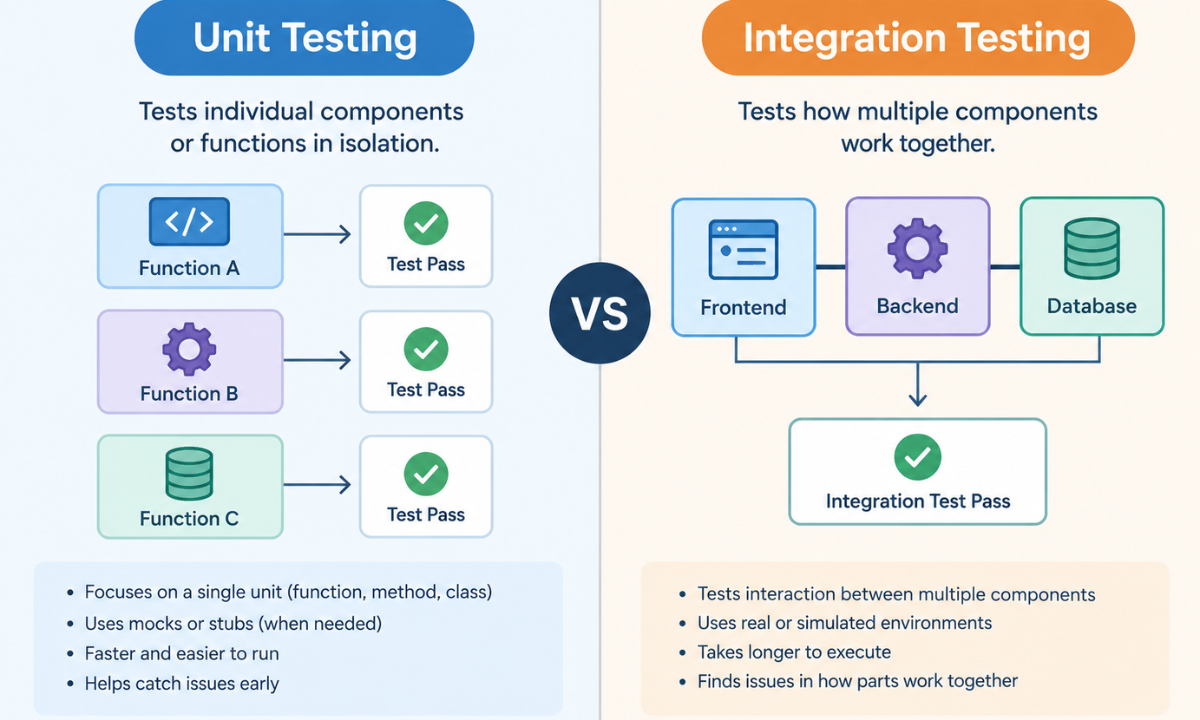
Unit Testing vs Integration Testing: Key Differences
|
Comparison |
Unit Testing |
Integration Testing |
|
Main purpose |
Tests individual units of code |
Tests interactions between components |
|
Testing scope |
Small and isolated |
Multiple connected components |
|
Dependencies |
Often replaced with mocks or stubs |
Uses real or test versions of dependencies |
|
Execution speed |
Usually faster |
Usually slower |
|
Defects detected |
Logic errors and incorrect outputs |
API, database, and communication issues |
|
Common tools |
Jest, Vitest, pytest, xUnit |
Supertest, Postman, Testcontainers |
|
Example |
Testing a discount calculation |
Testing checkout with an API and database |
Neither method replaces the other. Unit testing verifies individual logic, while integration testing checks whether connected components behave as expected.
Where Do These Tests Fit in Full Stack Development?
A full stack application typically includes frontend, backend, and database layers. Understanding the technologies used in each layer helps developers choose suitable testing methods. This overview of tools and technologies used in full stack development provides additional context on the development stack.
1. Frontend Testing
Front-end testing checks the behaviour of the user interface. Unit tests can verify individual functions, form validation rules, and component behaviour.
For example, a unit test can confirm that an email validation function rejects an invalid email address. An integration test can check whether a registration form displays validation errors and submits valid data through the expected application flow.
React Testing Library and Vitest are common choices for testing JavaScript frontend applications.
2. Backend Testing
Backend testing checks business logic, request handling, authentication, and API responses.
Unit tests can verify that a service calculates order totals correctly. Integration tests can check whether an API endpoint validates a request, calls the appropriate service, and returns the correct HTTP status code.
Jest, Supertest, pytest, and .NET testing frameworks are useful options, depending on the backend technology.
3. Database Testing
Database-related tests check data access, queries, transactions, and relationships between records.
A unit test might verify how an application processes data returned by a repository mock. An integration test can confirm that a repository correctly saves, retrieves, updates, and deletes records in a test database.
Using a dedicated test database helps prevent test operations from affecting production data.
4. API Testing
API testing verifies communication between the frontend, backend, and external services. Tests can check request formats, response structures, authentication, status codes, and error handling.
For example, an integration test can confirm that an order API returns the correct order details after retrieving information from the database.
API tests are especially valuable in applications where the frontend and backend are developed or deployed separately.
Best Practices for Unit and Integration Testing
Following a consistent testing approach makes test suites more useful and easier to maintain.
1. Test Important Business Logic First
Start with functions that affect core application behaviour, such as payment calculations, authentication rules, data validation, and order processing. These functions often have a direct impact on users and business operations.
2. Keep Unit Tests Independent
Each unit test should focus on one behaviour and avoid unnecessary dependencies. Use mocks or stubs when external services would make an isolated test slow or unreliable.
3. Test Real Interactions Where Necessary
Integration tests should verify important connections between application components. Use a test database or controlled service environment when the interaction itself is what you need to validate.
4. Cover Successful and Failed Scenarios
Do not test only the expected path. Include invalid inputs, missing fields, duplicate records, unauthorized requests, and unavailable services where relevant.
These cases help developers understand how an application responds when something goes wrong.
5. Automate Tests in the Development Workflow
Run unit tests frequently and include relevant integration tests in continuous integration (CI) pipelines. Automated testing helps detect regressions before code reaches production.
6. Avoid Brittle Tests
Tests should focus on observable behaviour rather than unnecessary implementation details. If a minor internal code change breaks many tests without changing functionality, the tests may be too tightly coupled to the implementation.
7. Use Test Coverage as a Guide
Code coverage shows how much of the code is exercised by tests. However, high coverage does not guarantee that the tests are effective. Focus on meaningful assertions and important application scenarios rather than chasing a coverage percentage alone.
How Unit and Integration Testing Improve Application Reliability?
Unit and integration testing work together to reduce software defects. Unit tests identify logic errors early, while integration tests uncover problems that appear when components communicate.
For example, in an online shopping application, unit tests can verify product discounts, tax calculations, and stock validation rules. Integration tests can confirm that the checkout API receives the correct information, updates the database, and returns an appropriate response.
When these tests run automatically after code changes, developers can identify regressions before deployment. This reduces debugging time, supports safer releases, and improves the user experience.
Testing also supports collaboration across development teams. Clear, repeatable tests provide a shared understanding of how individual components and complete workflows should behave.
Conclusion
Unit testing and integration testing serve different but complementary purposes in full stack development. Unit testing checks individual functions and components, while integration testing verifies how connected parts of an application work together.
A reliable testing strategy uses both methods, covers important success and failure scenarios, and automates checks throughout the development process. Developers should choose testing tools based on their technology stack and focus on tests that protect essential application behaviour.
For learners exploring a full stack developer course in Bangalore, understanding testing alongside frontend development, backend APIs, and database management provides useful preparation for building and maintaining reliable web applications. The ability to write meaningful tests is an important part of developing production-ready software.
Reference:
1)https://testomat.io/blog/unit-testing-vs-integration-testing/
2)https://medium.com/codetodeploy/integration-tests-vs-unit-tests-b83b543912f8

Apponix Academy
Apponix Academy