POPULAR COURSES
Master Programs





Table of contents:
|
1. Summary |
|
2. What Is a Data Analyst Portfolio? |
|
3. Why Is Portfolio Important For Beginners? |
|
4. What does it take to create a Data Analyst Portfolio?
|
|
5. Different Types of Data Analytics Projects
|
|
6. Focus on the Problem Before the Dashboard |
|
7. Show Insights, Not Just Charts |
|
8. Where do Beginners Start Their Data Analyst Portfolio?
|
|
9. How Many Projects Should a Beginner Have? |
|
10. Common Mistakes to Avoid |
|
11. Frequently Asked Questions |
Summary
As a beginner, creating a strong data analyst portfolio is one of the best ways to showcase your practical skills and grab the attention of recruiters, even if you lack work experience. A good portfolio should contain projects using Excel, SQL, Python, Power BI or Tableau, a clear explanation of the business problem, data cleaning process, analysis, key insights and recommendations, and relevant data analytics certifications. If you are a beginner, you can share your work on GitHub and Kaggle, showcase your projects and accomplishments on LinkedIn, and then combine it all into a personal portfolio website. A well-structured portfolio helps recruiters understand your analytical thinking, technical skills and ability to solve real-world business problems. This makes it easier to stand out while applying for data analytics jobs in India.
Getting into data analytics can be intimidating, especially when most job descriptions require experience. But a portfolio for a data analyst can be used to show what you can actually do even if you have not worked as a professional analyst yet, but for a beginner.
A good portfolio provides recruiters with a practical view of your skills. Demonstrate your skills in Excel, SQL, Power BI or Python by showing us how you’ve used them to clean data, detect patterns, create dashboards and solve business problems through your projects – don’t just tell us you know these tools.
If you’re wondering how to create a data analyst project portfolio to help you get jobs, this manual will walk you through the process step by step.
What Is a Data Analyst Portfolio?

A data analyst portfolio is a showcase of projects that demonstrate your ability to work with data and communicate meaningful insights.
Your portfolio may feature projects created with:
-
Excel
-
SQL
-
Tableau or power bi
-
Python Programming
-
Public data sets
-
Business scenarios in the real world
-
Data cleaning and visualisation exercises
You are not trying to show off that you know every analytics program that there is. The aim is to be able to take a problem, work with data and arrive at useful conclusions.
3-4 solid data analytics projects are way more impressive than a portfolio with several unfinished or repetitive projects for a beginner.
Why Is Portfolio Important For Beginners?
When you’re applying for your first data analyst job, you may not have professional experience to demonstrate your skills.
Here is where a portfolio comes in handy.
-
A well-organised portfolio can help you to show:
-
Your technical expertise
-
Your data cleaning and organization skills
-
Your grasp of business problems
-
Your analytical mind
-
Your dashboard creation skills
-
Your ability to tell stories and communicate
-
Your knowledge of tools like Excel, SQL, Power BI and Python
Instead of just writing "I know Excel and SQL" on your resume, your portfolio can show a real project you did using these skills.
That makes it easier for a recruiter or hiring manager to evaluate your skills.
What does it take to create a Data Analyst Portfolio?
1. This is a step-by-step guide to using Microsoft Excel for data analysis
If you are totally new to analytics, you should start using Excel for data analysis.
This course is designed to familiarize beginners with the organizational structure of sets of data and how information can be organized, filtered and analyzed in Excel.
First, learn some of the practical features, like:
-
Sorting and filtering
-
Formulas and functions
-
XLOOKUP or VLOOKUP
-
SUMIF and COUNTIF
-
Pivot Tables
-
Pivot Charts
-
Conditional formatting
-
Basic data cleaning
-
Simple dashboards
When you know what these features are, design your first portfolio project.
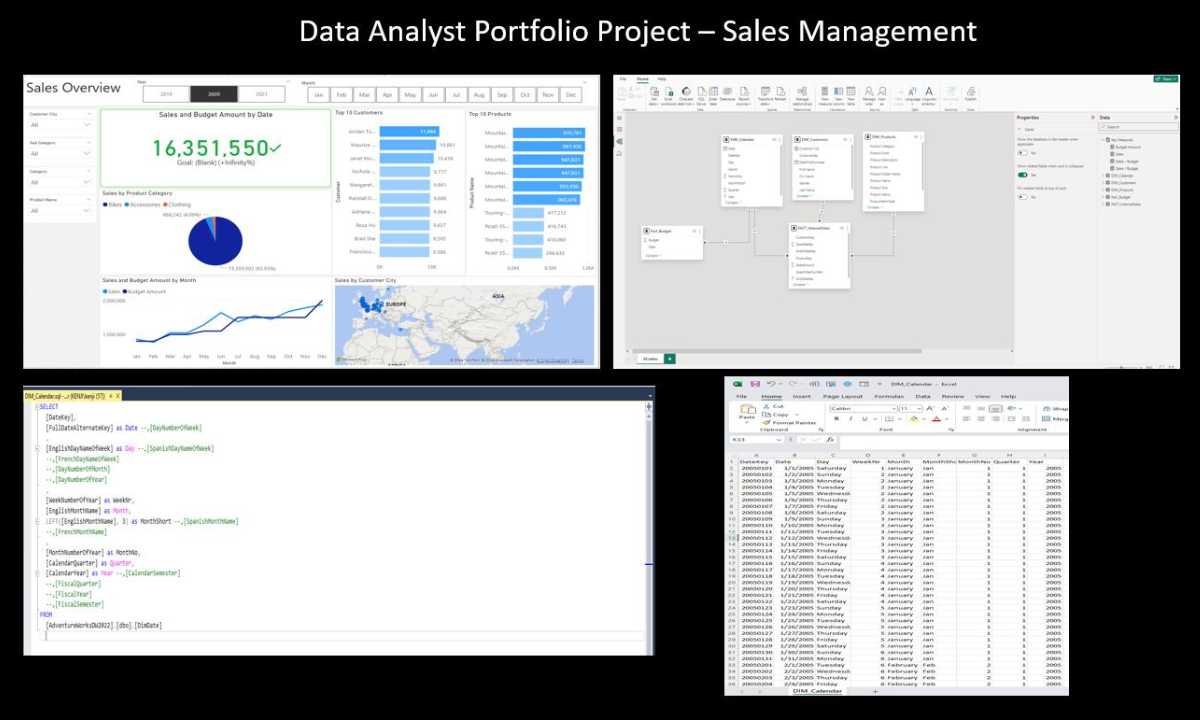
Example Excel Project
You might consider analysing a retail sales data set, such as:
-
Total sales
-
Monthly revenue
-
Best-selling products
-
Sales by region
-
Customer segments
-
Top-performing categories
Don't stop just after creating charts.
Describe what the numbers represent.
For instance, information that one product has the highest sales, explain how this information may be useful to a business.
2. Learn SQL and Add a Database Project
Once comfortable working with spreadsheets, begin to work with SQL
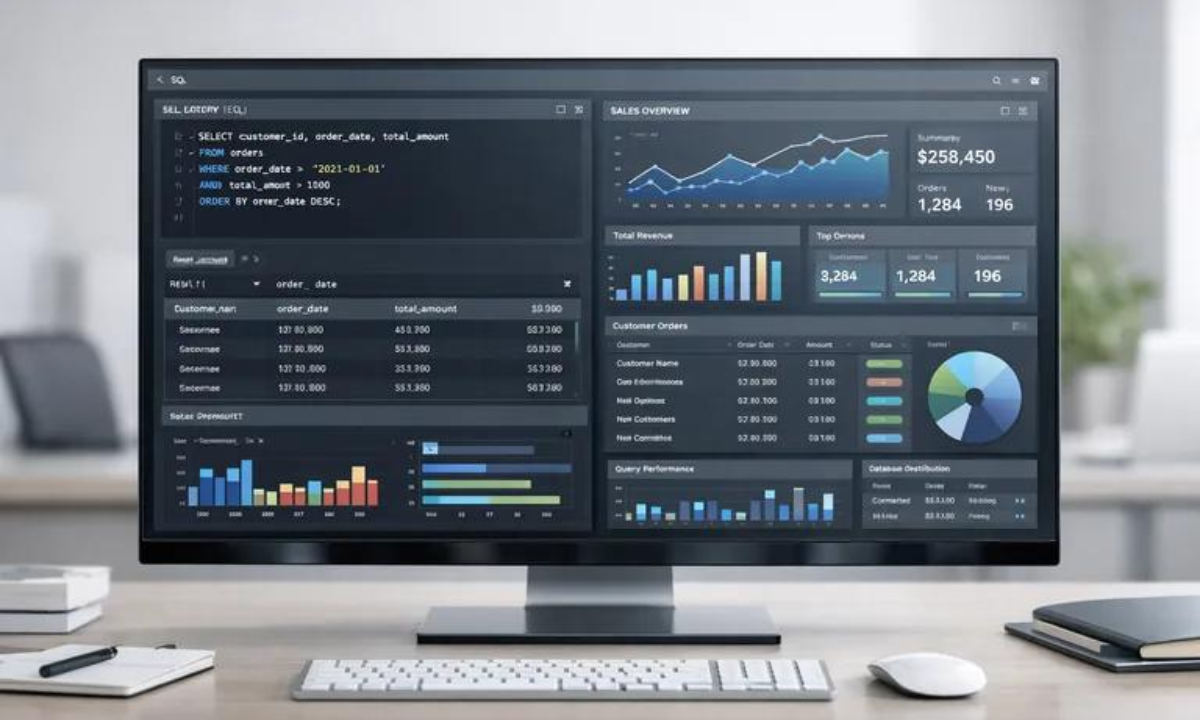
SQL is a computer programming language for interacting with relational databases. It can be used to create databases, select specific information, update records, and organize large amounts of information.
Data analysts often must access data and analyze it from a database, which is why it is important.
Here are some portfolio concepts to consider for your beginning portfolio:
-
SELECT
-
WHERE
-
GROUP BY
-
ORDER BY
-
Aggregate functions
-
JOINs
-
CASE statements
-
Subqueries
-
Common Table Expressions
-
Window functions
It's not necessary to build a very complex SQL project.
Rather, develop a project based on a basic business question.
3. Create a Power BI or Tableau Dashboard
After learning the basic data analysis, develop a visualization project.
The two most popular business intelligence applications for converting data into interactive dashboards and insights are Power BI and Tableau. They enable businesses to review performance, pinpoint trends, and make informed decisions based on data.
Microsoft Power BI and Tableau are data visualization tools that can be integrated with various data sources and can convert complex data into intuitive charts, graphs, reports, and dashboards.
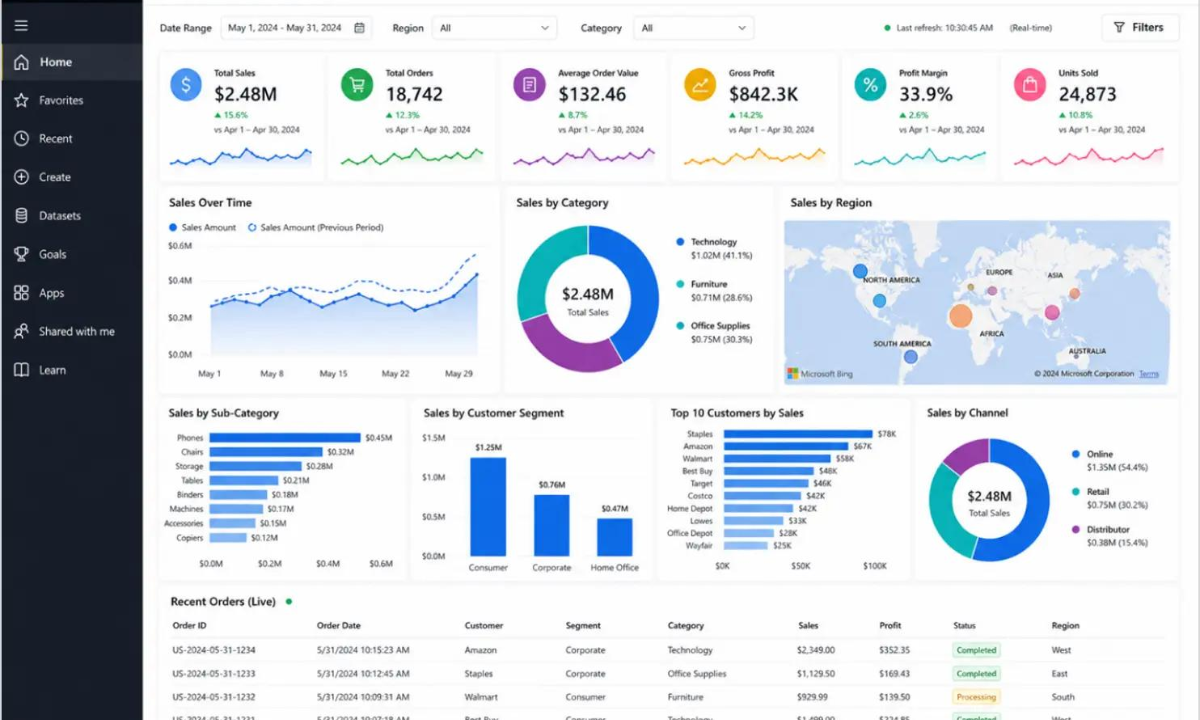
You can add these to your Dashboard:
-
Revenue
-
Profit
-
Sales growth
-
Customer count
-
Product performance
-
Regional performance
-
Monthly trends
-
Key performance indicators
However remember, a dashboard isn't a hodgepodge of colorful charts.
A dashboard should solve a problem and have a clear answer.
Different Types of Data Analytics Projects
A frequent error made by neophytes is making something when they have the data!
Instead, select projects that are questions that a real business may have.
Here are some helpful data analytics project ideas:
1. Sales Analytics Projects
One of the most popular starting data analytics projects is sales analytics. The goal is to see what is driving the business revenues for products, regions, sales teams and time periods.
Data that can be analyzed:
What you can analyze:
-
Total sales and revenue
-
Monthly, quarterly, and yearly sales trends
-
Top-performing products
-
Sales by region or city
-
Profit and profit margins
-
Salesperson performance
-
Year-over-year growth
-
Target vs. actual sales
Example project:
Create a Sales Performance Dashboard with SQL and Power BI. The dashboard displays total revenue, profit, top products, regional performance and monthly sale trends.
2. Customer Analytics Projects
Customer Analytics involves gaining insight into the target customer, what they buy and the way they behave over time.
This type of project is useful in the context of businesses aiming to enhance customer satisfaction, retention and revenues.
You can analyse:
-
Customer demographics
-
Purchase frequency
-
Customer lifetime value
-
Average order value
-
Repeat purchases
-
Customer segmentation
-
Customer retention
-
Churn rate
Example project:
Develop a Customer Segmentation Dashboard to segment customers according to their purchasing frequency, spending habits, and engagement.
3. Marketing Analytics Projects
Using marketing analytics, businesses are able to determine the effectiveness of their marketing campaigns.
Data from advertising platforms, websites, CRM, and social media can be joined together to gain insights into campaign performance.
What you can analyze:
-
Leads generated
-
Website traffic
-
Conversion rate
-
Cost per lead
-
Customer acquisition cost
-
Campaign ROI
-
Click-through rate
-
Engagement rate
-
ROAS
Example project:
Build a Digital Marketing Campaign Dashboard with Google Ads, Meta Ads, email marketing and organic traffic.
4. Financial Analytics Projects
Financial analytics projects assist companies with comprehending their monetary standing and settling on better spending plans and speculation choices.
Projects are useful for learners interested in Finance, Business Analytics or Corporate Reporting.
What information you can access:
-
Revenue
-
Expenses
-
Profit
-
Profit margins
-
Cash flow
-
Budget vs. actual spending
-
Financial trends
-
Department-wise expenses
Example project:
Create a Financial Performance Dashboard that displays revenue, expenses, profit margins and budget performance.
5. HR Analytics Projects
HR analytics is a technique that involves analyzing your employee and workforce information to better inform your hiring, retention, compensation and employee performance decisions.
What you can analyze:
-
Employee attrition
-
Employee demographics
-
Salary distribution
-
Department performance
-
Employee tenure
-
Absenteeism
-
Recruitment metrics
-
Job satisfaction
Example project:
Create an Employee Attrition Dashboard that displays attrition rate by department, job role, experience level and other factors.
6. E-Commerce Analytics Projects
The ecommerce sector produces a ton of data that can be captured from customers, products, orders, and transactions, making it an ideal place for analytics projects.
What you can analyze:
-
Orders and revenue
-
Product performance
-
Average order value
-
Customer purchase behaviour
-
Repeat customers
-
Cart abandonment
-
Sales by category
-
Seasonal trends
Example project:
Design and build an E-Commerce Sales Dashboard that displays revenue, orders, top products, customer segments and trend line of sales by month.
7. Supply Chain & Logistics Analytics Projects
Supply chain analytics enables enterprises to gain insights about their inventory, suppliers, transportation and delivery performance.
What you can analyze:
-
Inventory levels
-
Stock-outs
-
Supplier performance
-
Delivery times
-
Shipping costs
-
Order fulfilment
-
Warehouse performance
-
Product demand
Focus on the Problem Before the Dashboard

One of the most common mistakes that novices make is opening up Power BI or Excel and getting to work creating charts.
Begin with the business problem, however.
Ask yourself:
What is the question?
For example:
The problem is to find out why the monthly revenue has been decreasing in a retail company.
You can then investigate:
-
Which products experienced lower sales?
-
Which locations declined?
-
Did customer numbers change?
-
Did the average order value change?
-
Were there seasonal patterns?
This makes your project feel more realistic and demonstrates analytical thinking.
Show Insights, Not Just Charts

It's one of the key components of your portfolio.
A recruiter won't want to see just a dashboard. They want to know if you can read the information.
On each project, aim for 3-5 key learnings.
For example:
-
During the holiday season there was a marked rise in sales.
-
A few items accounted for a high percentage of total revenue.
-
One area experienced up to 30% higher volume and reduced profits.
-
Repeat customers had a higher average order value.
-
A specific group of customers exhibited higher customer churn.
Then go one step further.
Discuss what information the business could use with those insights.
This makes your project a business analysis and not just a data exercise.
Where do Beginners Start Their Data Analyst Portfolio?
It isn't enough to make good projects, you have to make them good. Now that these projects are established, the next task is to let recruiters and hiring managers know about them. Platforms like GitHub, Kaggle, LinkedIn and personal portfolio websites are excellent places for beginners to post their data analytics projects, technical skills, certifications, and project insights.
The key is to not duplicate information without some organization. There should be a job search objective for each platform.
1. GitHub – Showcase Your Technical Projects
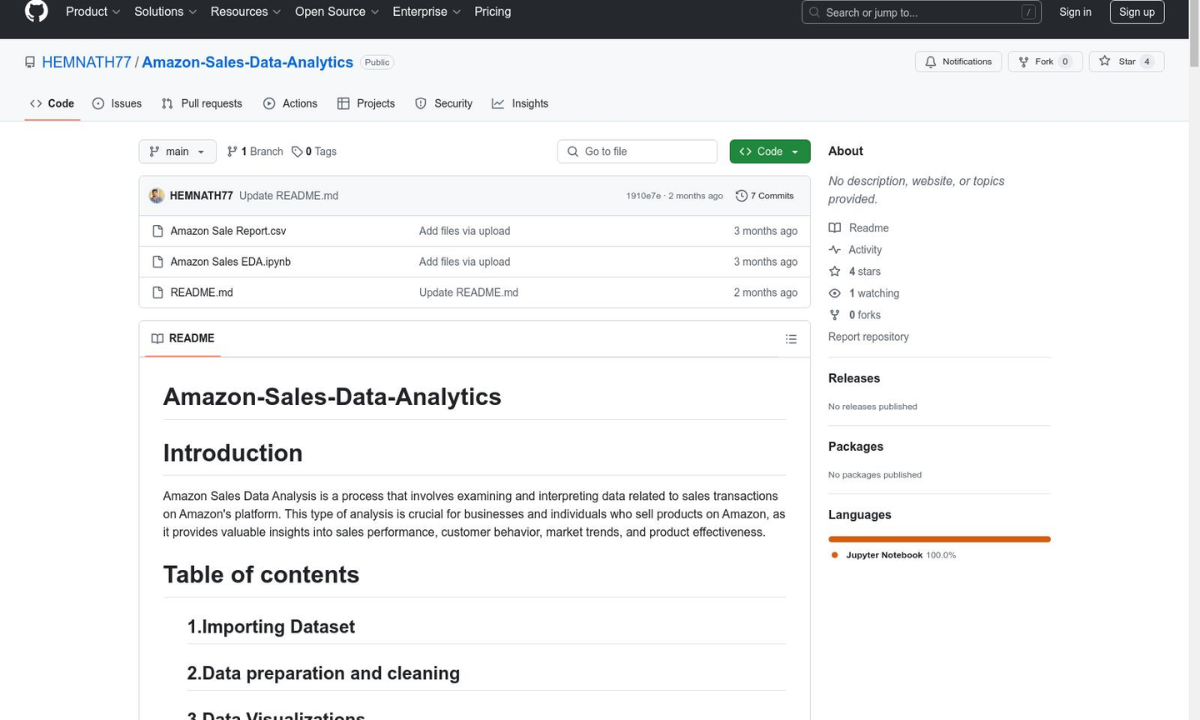
One of the most helpful sites for newbies who wish to showcase their technical skills is GitHub. It allows you to store and organize project files, code, datasets, documentation, and analysis results.
If you're a data scientist or data analyst, GitHub can serve as your project library; it's where you can let recruiters see how you work with data in practice.
What Should You Upload to GitHub?
You can create separate repositories for different projects, such as:
-
Excel sales analysis
-
SQL customer analysis
-
Python data analysis
-
Customer churn analysis
-
Marketing campaign analysis
-
E-commerce sales analysis
-
Power BI projects
-
Data cleaning projects
2. Kaggle – Showcase Data Analysis and Python Skills
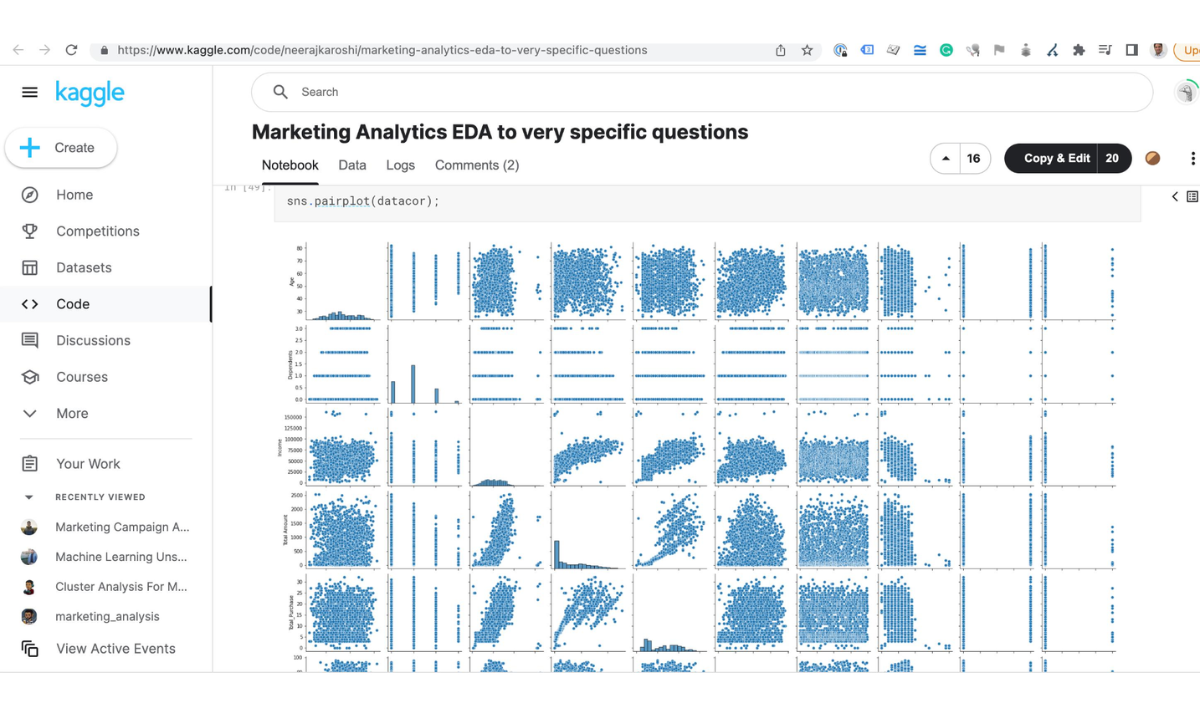
Another handy site for the novice who wants to show their skills in working with data sets is Kaggle.
It comes in handy when learning Python, pandas, data visualization, statistics and exploratory data analysis.
What Can You Upload to Kaggle?
You can showcase:
-
Data cleaning projects
-
Exploratory data analysis
-
Python projects
-
Data visualization
-
Machine learning projects
-
Business analytics projects
-
Public datasets
-
Jupyter notebooks
Kaggle can also showcase your skills on processing larger data sets and provide explanations of your analytical findings, for users who are building a data scientist portfolio.
3. LinkedIn – Make Your Portfolio Visible to Recruiters
Whether you're looking to be discovered, your actual project work is showcased on the platforms like GitHub or Kaggle.
To a beginner, LinkedIn should be more than an online resume. Employ it to convey your abilities, initiatives, certifications, and career goals.
What Should You Add to Your LinkedIn Profile?
Make sure your profile includes:
-
Professional headline
-
About section
-
Data analytics skills
-
Excel
-
SQL
-
Python
-
Power BI/Tableau
-
Data analytics projects
-
Certifications
-
Education
-
GitHub profile
-
Portfolio website
Add Your Projects
You can create LinkedIn project posts explaining what you built.
4. Personal Portfolio Website – Bring Everything Together
A personal portfolio website is one that is fully under your own control and management.
You can gather your top projects in one place—no need to ask a recruiter to trawl through various sites.
Create a Simple Portfolio Website
It is not important to have an extensive website.
The following elements can be part of a simple portfolio page:
About Me
2 or 3 sentences about you and who you are.
Skills
Identify your main technical abilities.
Projects
Present 3-4 best projects.
Resume
Submit your most recent resume.
Contact
Add your professional email and LinkedIn profile.
Maintain simplicity and usability of the design.
The most noticeable element of a website should be your projects.
How Many Projects Should a Beginner Have?
No, you don't need 20 projects.
It is better to have 4–5 projects explained than to have many projects that are not fully completed.
A good beginner combination could be:
-
Excel – Sales analysis
-
SQL – Customer / eCommerce Analysis
-
Power BI is a business dashboard.Power BI is a business dashboard tool.
-
Why do people not remain customers in Python – Customer churn or exploratory data analysis.
-
A project that involves SQL in conjunction with Python visualization.
The most important thing is to demonstrate thinking about a problem—not only the tools that you know.
Common Mistakes to Avoid
Beginners might make some common mistakes when making a data scientist portfolio or data analyst portfolio.
Avoid:
-
Including too many miniscule projects
-
Not understanding YouTube projects and copying them.
-
Using the same data as others and adding analysis
-
Building dashboards without providing the interpretation of the insights
-
Claiming to have known about a tool without demonstrating its use
-
Ignoring data cleaning
-
Creating lengthy project descriptions
-
Adding unfinished projects
-
Data visualizations that are too complex and fail to address a business question
A portfolio should demonstrate your ability to work on your own tasks and not just the tasks in tutorials.
Frequently Asked Questions
1. What is a data analyst portfolio?
Your Data Analyst Portfolio is a set of data-related projects showing how you can gather, clean, analyze, visualize and interpret data. This can contain data analytics projects like Excel, SQL, Python, Power BI, Tableau, and other explanations of the issues you solved and discoveries you made.
2. How many articles are there on the data analyst portfolio?
Yes. For beginners, who may not have much or any professional experience, a portfolio may be used to show the skills that have been acquired. It provides recruiters with some examples of the application of the knowledge to actual or realistic business problems.
3. What should the number of projects be for a beginner to have in a data analyst portfolio?
A new player can begin with 4-5 solid projects with various skills. It's better to have quality projects than quantity projects. The problem, tools used, analysis, findings and recommendations should be clearly explained in each project.
4. What projects should I add to a data analyst beginner's portfolio?
Good beginner projects include:
-
E-commerce sales analysis
-
Customer churn analysis
-
HR analytics
-
Marketing campaign analysis
-
Retail sales analysis
-
Customer segmentation
-
Financial or business performance analysis
Choose projects that allow you to demonstrate different analytical skills.
5. How do I include an Excel project in my data analysts portfolio?
Yes. Knowing how to use Excel for data analysis is a valuable skill for beginners and can show that you can clean data, use formulas, build pivot tables, analyse trends and create dashboards. Starting a project is a good Sales or Business performance analysis.
6. How to add SQL projects to my portfolio?
Yes. SQL projects will show your skills in working with a database and in getting, filtering, joining, aggregating, and analysing data. A customer analysis, sales analysis or eCommerce database project might be suitable.
7. What should a SQL project in a data analyst portfolio contain?
A SQL project should contain the dataset, database structure, business questions, SQL queries, analysis, results and key insights. In addition to presenting queries, describe what was being sought in each analysis and what the findings were.
8. What about Power BI or Tableau projects for the beginning?
Yes. A Power BI or Tableau dashboard can prove that you can use data to create insights that are easy to comprehend. Provide an explanation of the business problem, key metrics, dashboard design, findings and recommendations instead of just screenshots.
9. What is the difference between showing charts and showing insights?
Insights explain what information means, charts display information. Sales declined in a specific month – discuss the pattern, the probable cause, the category or region impacted, and what a business might do.
10. What is the business problem before creating a dashboard?
The project is kept focused by beginning with a business question. You can choose metrics and visualizations that highlight answers to specific questions and provide actionable business insights, rather than generating random charts.
11. Will the data cleaning process be included in my portfolio?
Yes. Data cleaning is an integral component of real world data analysis. Discuss what you did to deal with any missing data, duplications, inconsistent formats, incorrect data or other quality problems.
12. How can I create a data analyst portfolio without experience?
Yes. Projects can be developed to utilize public datasets and realistic business scenarios. It's about showing how you can tackle a problem, analyze the data, share the results and make sensible recommendations.
13. Do I need a personal portfolio website?
It is not mandatory, but it can be useful. A personal website allows you to bring your strongest projects, skills, certifications, resume, and contact information together in one place.
14. What does a data analyst portfolio site need to include?
A simple website can have:
-
About Me
-
Skills
-
Featured Projects
-
Excel/SQL/Python projects
-
Power BI/Tableau dashboards
-
Certifications
-
Resume
-
GitHub profile
-
LinkedIn profile
-
Contact section
15. Is it advisable to post as many projects as possible?
No. Choose projects that are the most relevant or best. It is better to have a few well-explained, complete projects than many that are not finished or well-explained.
16. Do I need to include my data analytics certification in my portfolio?
Yes. Certifications can demonstrate formal education in a specific field. But make sure that certifications are complemented with real-world projects to bring actionable proof of what you learned to the recruiters' attention.
17. Does a data analytics certification guarantee me a job?
Having a certification doesn't help you prove that you have all the skills necessary for a data analyst position. Adding relevant certifications to projects, technical skills, problem solving and good resume can make a better job application.

Apponix Academy
Apponix Academy